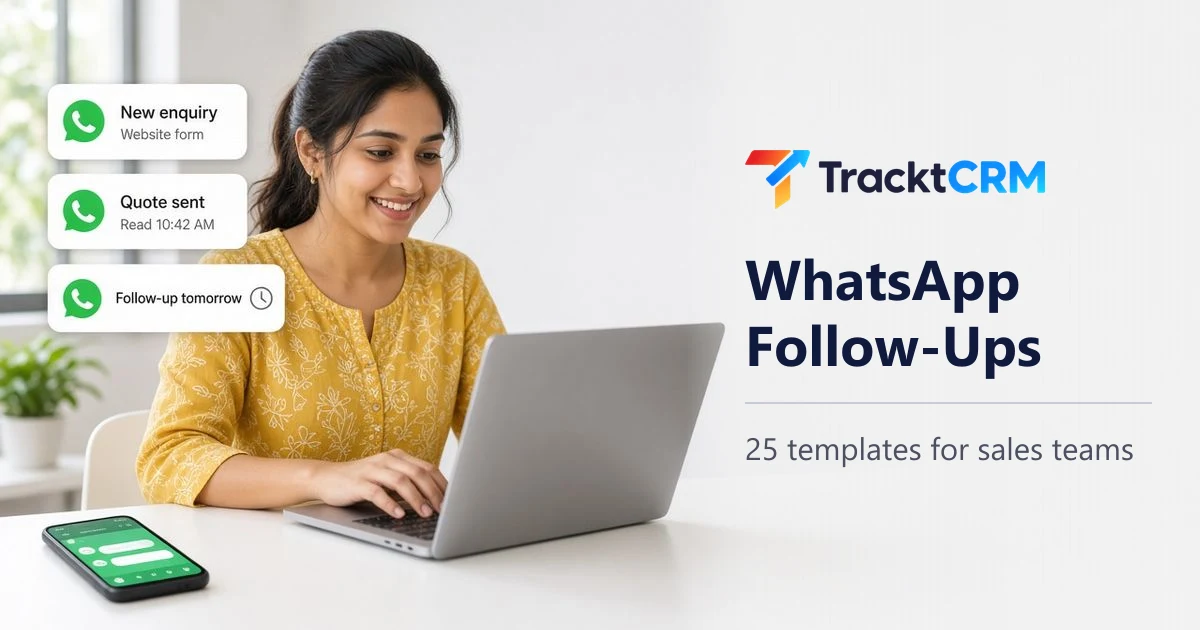
A WhatsApp follow-up message is a short note you send to a lead or customer to move a conversation forward: after an enquiry, a missed call, a quote, a site visit or a payment due date. In India it is often the fastest way to get a reply: many buyers in India reply faster on WhatsApp than on email.
Below are 25 follow-up messages grouped by situation, with template-ready versions for when the 24-hour window has closed. First, though, a problem that quietly costs many sales teams more deals than any badly written message: running customer chats on salespeople's personal phones.
Why WhatsApp Follow-Ups on Personal Phones Cost You Sales
Most small sales teams start the same way: each rep uses their own WhatsApp to chat with leads. It feels fast and free. The costs only show up later.
- Chats leave when people leave. When a rep resigns, months of customer conversations, prices quoted and promises made go with their phone.
- Managers cannot see what is happening. There is no way to check whether a hot lead got a reply, what price was offered or why a deal went quiet.
- Follow-ups depend on memory. A chat that scrolls below fifty others is a follow-up that never happens.
- Replies stop when the rep is busy. On leave, in a meeting or off duty, nobody else can answer the customer.
- Customer data sits on personal devices. Phone numbers, documents and payment details mix with family chats, outside any company control.
- Duplicate and conflicting replies. Two reps message the same lead with different prices, which looks unprofessional and invites bargaining.
None of this shows up in a report, which is why it is easy to ignore. It shows up as leads that "went cold" and customers who say "I never heard back".
A 5-question audit for your team
Answer these honestly. If you say "no" to two or more, WhatsApp is leaking sales.
- If your best salesperson left tomorrow, would you still have every customer chat?
- Can you see, right now, which WhatsApp leads have not had a reply today?
- Does someone get reminded when a lead goes quiet for three days?
- When a rep is on leave, can a colleague pick up their chats with full context?
- Is every WhatsApp lead saved in one place with its source, owner and stage?
Personal WhatsApp vs Business App vs Business Platform
There are three ways sales teams use WhatsApp. Each suits a different stage of growth.
| Personal WhatsApp | WhatsApp Business App | WhatsApp Business Platform (API) | |
|---|---|---|---|
| Best for | Personal use only | Solo sellers and very small teams | Sales teams that need shared access and automation |
| Who owns the chats | The employee | Whoever holds the main phone | The business, through a CRM or inbox |
| Team access | One person | Up to 4 linked devices, or 10 with multi-agent | Many users through a CRM or shared inbox |
| Messages after 24 hours | No limit | No limit | Only approved templates |
| Automation | None | Greeting, away messages and quick replies | Templates, chatbots and workflows |
| CRM link | Manual copy-paste | Through tools that connect to the app | Built for CRM integration |
| Cost | Free | Free | Meta charges per delivered message |
To compare tools and Meta's per-message charges, see our guide to the best WhatsApp CRM in India.
WhatsApp Rules Every Sales Team Should Know
These rules come from Meta's WhatsApp Business Messaging Policy and developer documentation. Breaking them can get your number restricted.
- Get permission first. You may only message people who gave you their number and agreed to hear from your business. A tick box on your enquiry form that names your company and says you will contact them on WhatsApp is a simple way to do it.
- Honour opt-outs. If someone says stop, stop, on WhatsApp or anywhere else.
- The 24-hour customer service window. On the Business Platform, when a customer messages or calls you, a 24-hour window opens. Each new message from them resets it. Inside it you can send normal messages. Once it closes, you can only send pre-approved template messages.
- Templates are reviewed by Meta. Each template is approved before you can use it and given a category: marketing, utility or authentication. Utility templates relate to something the customer asked for or bought, with no promotional content. Most sales nudges count as marketing.
- Template variables. Templates use placeholders such as
{{1}}for the customer's name or the quote number. Do not start or end a template with a variable, and keep enough fixed text around each one for the reviewer to understand the message. - Automation needs a human path. If a bot replies, customers must be able to reach a person, by chat, phone or email.
How to Move Sales Follow-Ups Off Personal Phones
- Get one business number for sales. Use the WhatsApp Business App to start, and move to the Business Platform when more than a few people need access or you need templates and automation.
- Connect it to your CRM. Every chat should save on the lead, next to calls, emails and notes.
- Give every lead an owner. Assign new WhatsApp leads automatically so nobody waits while the team decides who replies. Our lead management page shows how round-robin assignment works.
- Write your templates once. Use the 25 below as a starting point, edit them to sound like your business and submit the follow-up ones for approval.
- Set reminders on WhatsApp activity. If a lead has not replied in three days, the owner should get a follow-up task automatically, which sales automation workflows can handle.
- Review weekly. Look at unanswered chats, overdue follow-ups and leads lost to "no response".
25 WhatsApp Follow-Up Message Templates
Replace the words in square brackets. Where a message is likely to be sent more than 24 hours after the customer's last message, a template version is included, written with numbered variables so you can submit it for approval on the Business Platform.
First reply to a new enquiry
1. Instant reply to a website or ad enquiry
Hi [Name], thanks for your enquiry about [product] on our website. I'm [Your name] from [Company]. Is now a good time for a quick 5-minute call, or would you prefer I share details here?
2. Reply to a lead from IndiaMART, Justdial or a property portal
Hi [Name], I saw your enquiry for [product / property] on [portal]. We have [one key detail, such as 3 options in your budget]. Shall I send the details here?
3. After-hours reply
Hi [Name], thanks for reaching out to [Company]. Our team is offline right now, but [Your name] will message you by 10 am tomorrow. If it's urgent, call [number].
4. Qualifying questions
Thanks, [Name]. So I can send the right options: roughly how many [units / users / sq ft] do you need, and by when?
After a missed call
5. You missed their call
Hi [Name], sorry I missed your call. I'm free now, or let me know a time that suits you today.
6. They did not pick up
Hi [Name], this is [Your name] from [Company]. I tried calling about your enquiry for [product]. When's a good time to talk? Happy to chat here too.
After sharing a brochure, price or quote
7. Brochure or catalogue sent
Hi [Name], I've shared the [brochure / catalogue] above. Page [3] has the models in your budget. Want me to shortlist two for you?
8. Checking the quote, next day
Hi [Name], did the quote for [product] cover everything you need, or should I add [delivery / installation]?
9. Quote with no reply after a few days
Hi [Name], sharing the quote for [product] again here so it's easy to find. Any questions I can answer?
Template version: Hi {{1}}, this is {{2}} from [Company]. Just checking whether you had a chance to review quote {{3}}. Reply here if you have any questions.
10. Following up on a price concern
Hi [Name], I checked with my team. We can do [smaller first order / payment in two parts / a different model] to bring the cost down. Shall I send the revised quote?
Before and after a meeting, demo or site visit
11. Reminder the day before
Hi [Name], looking forward to seeing you tomorrow at [time] at [place]. Here's the location pin. Reply here if anything changes.
Template version (utility): Hi {{1}}, this is a reminder of your {{2}} with [Company] on {{3}}. Reply to this message if you need to reschedule.
12. Thank you after a site visit or meeting
Hi [Name], thanks for visiting today. As discussed, [summary in one line]. I'll call you on [day] to confirm the next step. Any questions before then?
13. After a demo
Hi [Name], thanks for your time on the demo. Here's the recording and the pricing we discussed. Which of the two plans felt closer to what you need?
14. Bringing in the decision maker
Hi [Name], if it helps, I'm happy to join a short call with [partner / manager / family] to answer their questions directly. Would this week work?
When the lead goes quiet
15. A one-line yes or no
Hi [Name], quick one: are you still looking for [product], or should I close this for now?
Template version: Hi {{1}}, are you still interested in {{2}}? Reply YES and I'll share the latest options, or NO and we won't follow up on this.
16. Adding value with an example
Hi [Name], we recently set up [product] for a [similar business] in [city]. They were worried about [concern] too. Happy to share how it went.
17. A real deadline
Hi [Name], prices on [model] go up on [date]. If you'd like, I can hold the current rate for you until [day].
18. Closing the loop politely
Hi [Name], I haven't heard back, so I'll assume the timing isn't right and close this for now. If anything changes, just reply here and I'll pick it up.
Template version: Hi {{1}}, we haven't heard back about {{2}}, so we'll pause our follow-ups for now. Reply to this message anytime if you'd like to continue.
Handling common replies
19. "I'll think about it"
Sure, [Name], take your time. Is there one thing you'd like me to clarify that would make the decision easier?
20. "We're comparing other options"
Makes sense, [Name]. If it helps, I can send a one-page comparison of what's included with us, so it's easier to check side by side.
21. "Call me after [date / festival]"
Noted, [Name]. I'll message you on [date]. Wishing you and your family a great [festival].
Re-engaging old leads
These are usually sent weeks or months later, so on the Business Platform they need an approved marketing template.
22. New stock, model or offer
Template version: Hi {{1}}, you'd asked us about {{2}} earlier. We now have {{3}} available. Reply here if you'd like the details.
23. Checking in after a few months
Template version: Hi {{1}}, this is {{2}} from [Company]. You'd enquired about {{3}} a while ago. Are you still planning this? Reply here and we'll share current options.
Payments and after the sale
24. Payment reminder
Hi [Name], a gentle reminder that invoice [number] for [amount] is due on [date]. Here's the payment link. Let me know if you need anything from our side.
Template version (utility): Hi {{1}}, a reminder that invoice {{2}} for {{3}} is due on {{4}}. Please reply here if you have any questions about it.
25. Review or referral request
Hi [Name], hope [product] is working well for you. If you're happy with us, a quick Google review would mean a lot: [link]. And if you know someone who needs [product], we'd be glad to help them too.
For email versions of many of these messages, see our gentle reminder email templates.
When to Send WhatsApp Follow-Ups
| Situation | First follow-up | Second | Third |
|---|---|---|---|
| New enquiry | Within 5 to 15 minutes | Same day, if no reply | Next morning, then call |
| Quote or brochure sent | Next day | Day 3 or 4 | Day 7, closing message |
| Missed call | Within minutes | Later the same day | Next day |
| Site visit or meeting | Reminder the day before | Thank you the same day | Next step on the agreed date |
| Payment due | On the due date | 3 days after | 7 days after, plus a call |
| Old lead | When you have something new | One month later | Quarterly at most |
Two extra rules: send during business hours unless the customer chose the time, and if they reply, follow the conversation instead of the schedule. For a complete follow-up plan across calls, WhatsApp and email, see our sales follow-up strategy.
WhatsApp Follow-Up Etiquette
- Do write the way your customer writes. Hinglish or a regional language is fine if that is how they messaged you.
- Do use voice notes for long explanations, but keep them under a minute.
- Do send documents as PDFs with clear names, such as "Quote-Sharma-50-chairs.pdf".
- Don't send five messages in a row. One clear message beats a stream.
- Don't forward long promotional posters to someone who asked a simple question.
- Don't add customers to broadcast groups where they can see each other's numbers.
- Don't argue over price on chat. Move negotiations to a call.
How TracktCRM Helps With WhatsApp Follow-Ups
TracktCRM connects your business WhatsApp to your sales pipeline, so chats belong to the company and every follow-up has an owner and a reminder.
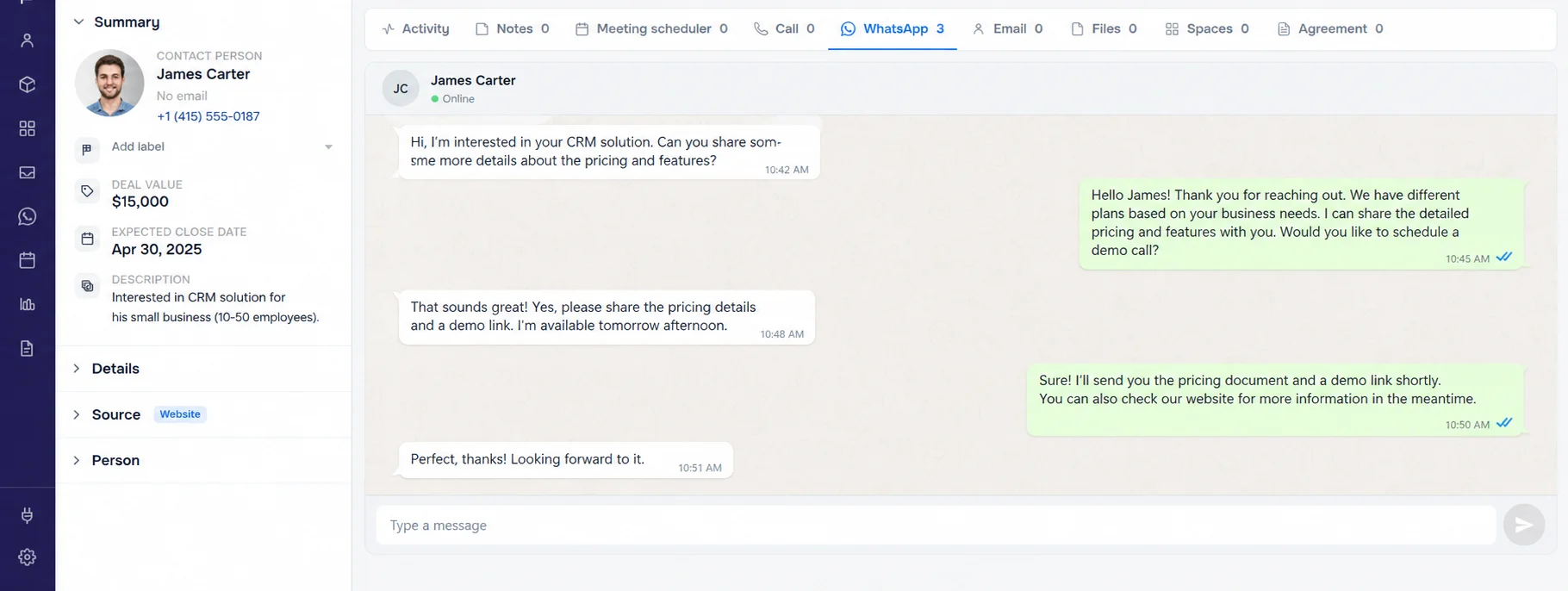
- Chats saved on the lead. Every WhatsApp conversation sits on the lead or deal, next to calls, emails and notes, so anyone can pick it up with full context.
- A shared team inbox. Several people can work from one business number without duplicate replies.
- New WhatsApp leads captured automatically, along with leads from ads, forms, IndiaMART, Justdial and property portals, each assigned to an owner.
- Templates and automatic replies. Send approved templates when a lead arrives or a deal changes stage, and answer common questions with a chatbot.
- Follow-up reminders based on WhatsApp activity. When a chat goes quiet, the owner gets a task instead of the lead going cold.
- Labels on every lead, such as hot lead or VIP, so priorities are clear.
Every plan includes WhatsApp. The Free plan supports simple QR-based chat; the official WhatsApp Business API with templates and automations is available on Pro and above. See WhatsApp CRM for the full feature list or pricing to compare plans.
Frequently Asked Questions
How do you write a WhatsApp follow-up message for sales?
Keep it to one or two lines, use the customer's name, mention exactly what you are following up on and end with one easy question. For example: "Hi Priya, did the quote for 50 chairs cover everything, or should I add delivery?"
How long should I wait before following up on WhatsApp?
Reply to new enquiries within minutes. After sending a quote or brochure, follow up the next day or after two days. If there is still no reply, try again after four to seven days, then send a polite closing message.
Can I send a WhatsApp follow-up after 24 hours?
On the WhatsApp Business Platform, free-form messages are allowed only within 24 hours of the customer's last message. After that, you must use a message template that Meta has approved. On the WhatsApp Business App this rule does not apply, but you still need the customer's permission to message them.
Why is using personal WhatsApp for sales risky?
Chats stay on the employee's phone, so managers cannot see them, follow-ups depend on memory, replies stop when the person is busy or on leave, and the customer history leaves when the employee leaves. A shared business number connected to a CRM fixes all four.
What is the difference between a utility and a marketing template?
Utility templates relate to something the customer already asked for or bought, such as an appointment reminder or payment update, with no promotional content. Marketing templates include offers, re-engagement and most sales nudges. Meta assigns the category when it reviews the template.
How many WhatsApp follow-ups are too many?
For most leads, three or four follow-ups spread over two to three weeks is enough. Never send several messages in a row without a reply, and stop immediately if the customer asks you to.
Can a CRM send WhatsApp follow-ups automatically?
Yes. A WhatsApp CRM can send an approved template when a lead arrives or a deal changes stage, and remind the owner when a chat goes quiet. Every plan includes WhatsApp. The Free plan supports simple QR-based chat; the official WhatsApp Business API with templates and automations is available on Pro and above.
Sources
Sources checked on . Plans and prices change, so confirm current details on these links before you buy.