Strong candidates forgotten because nobody followed up after the first call

THE RECRUITER'S PROBLEM
Recruiting runs on conversations, and conversations get lost
Recruiters juggle two relationships at once: the candidates they place and the clients they place them with. Without one shared system, the usual results are:
Client roles tracked in a spreadsheet that is out of date by Friday
Candidate and client chats scattered across WhatsApp, email and personal phones
Two recruiters unknowingly contacting the same person
RECRUITMENT CRM SOFTWARE
What does a recruitment CRM actually do?
A recruitment CRM is CRM software built around the relationships recruiting depends on. Unlike a one-time sales pipeline, a CRM for recruitment has to handle people you engage over months, and companies you serve repeatedly.
TracktCRM is built around these relationships rather than adapted from a one-time-sale pipeline. Whether you run a recruitment agency, an in-house talent team or a solo desk, the job is the same: candidate relationship management, with a talent pipeline you can actually see. See the full CRM software overview.
Candidates
Capture, organize and follow up with candidates across every channel, so a good one is never lost.
Clients
Track each client company and their open roles through your own stages.
Conversations
Keep the full history of every call, message and note on the record.
Follow-ups
Remind recruiters when a conversation has gone quiet.
CRM VS ATS
Recruitment CRM vs applicant tracking system: what is the difference?
The two are often confused. An applicant tracking system handles applications to specific job openings. A recruitment CRM handles the relationships: the candidates you are building over time, and the clients you recruit for.
| Applicant tracking system | Recruitment CRM | |
|---|---|---|
| Focus | Applications for specific openings | Ongoing relationships with candidates and clients |
| Typical question it answers | Who applied for this role? | Who should I be talking to this week? |
| Time horizon | The life of one job opening | Months or years |
| Strength | Application workflow | Outreach, follow-up and conversation history |
FEATURES
What recruiters get with TracktCRM
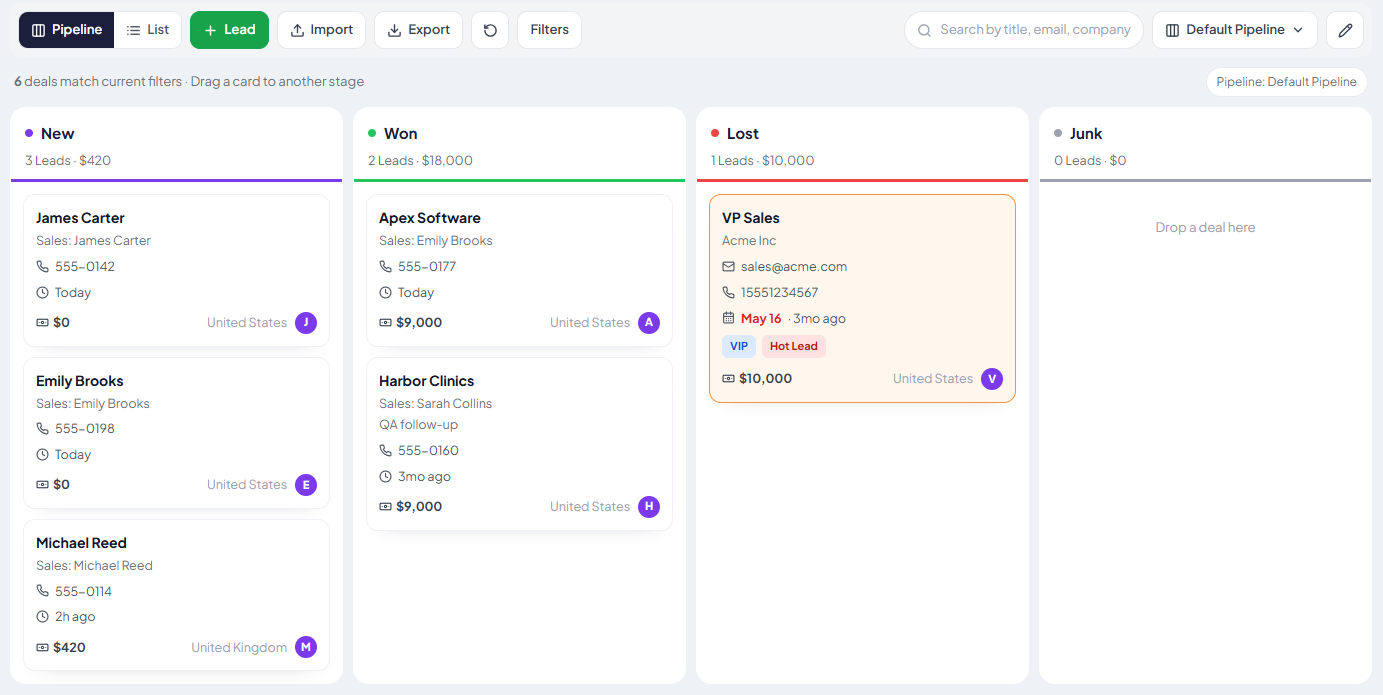
A Candidate Pipeline With Your Own Stages
Set up the stages you actually use, for example sourced, contacted, screened, interviewing, offer and placed, and see every candidate and their next step in one view.
A Client Pipeline Next to It
Track client companies and their open roles through their own stages, so you know which clients need attention and which roles are moving.
WhatsApp, Email and SMS in One Thread
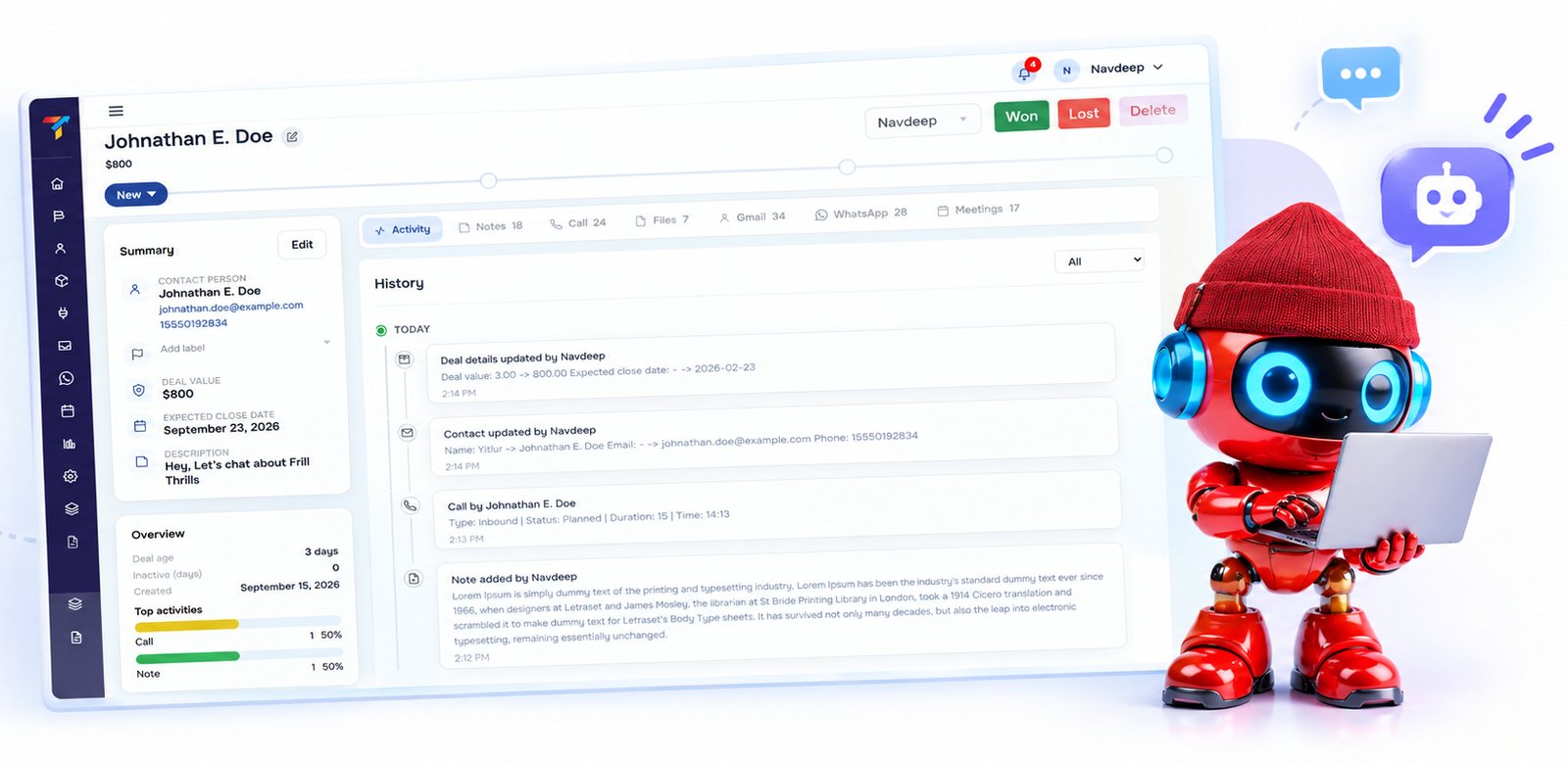
Reach candidates where they actually respond. Every message is logged against the record, so any recruiter can continue the conversation with full context. See WhatsApp CRM.
Follow-Up Reminders
When a candidate or client conversation goes quiet, TracktCRM reminds the owner, so good candidates are not lost to silence.
Clear Ownership
Every record has an owner and a history, so teams avoid contacting the same person twice.
Interview Scheduling With Your Calendar
Connect Google Calendar so interviews and client calls sync automatically.
Reporting
See activity, response times and pipeline health without building a report by hand.

CANDIDATES AND CLIENTS
Work your candidates and your clients side by side
Recruitment is a two-sided business, and most tools only cover one side well. With TracktCRM you can run both:
A candidate pipeline for people you are sourcing, screening and placing
A client pipeline for companies you are winning and serving
One shared inbox and one conversation history per person or company
HOW IT WORKS
How a candidate moves through TracktCRM
Captured
A candidate enquiry or referral arrives from your website, an ad or WhatsApp and is logged with its source.
Acknowledged
TracktCRM's AI can reply within seconds, so a strong candidate is never left waiting.
See how TracktCRM's AI CRM worksAssigned
The record gets an owner, and the conversation history starts building.
Worked
The candidate moves through your stages, with reminders when a conversation goes quiet.
Matched
You link the candidate to a client conversation and keep both histories in view.
Placed
The outcome is recorded, and the relationship stays in your system for the next role.
BUYER'S GUIDE
What to look for in a recruitment CRM
Does it cover candidates and clients?
A tool that only tracks candidates leaves your client side in a spreadsheet, and the reverse.
Does it work on the channels candidates use?
Candidates respond on WhatsApp far more readily than on a formal email. The CRM should log those chats.
Does it remind you to follow up?
Most lost candidates are lost to silence, not rejection. Reminders protect your talent pool.
Is it quick to set up?
A small firm cannot spend weeks configuring software. Look for stages you can adapt in minutes.
Does it fit alongside your ATS?
If you already use an applicant tracking system, the CRM should complement it for outreach and relationships rather than force a replacement.
INTEGRATIONS
Connects with the tools recruiters already use

WhatsApp Business
Message candidates and clients in-chat.

Email and SMS
Keep every channel in one thread per person.

Google Calendar
Interviews and client calls sync automatically.

Meta and Google Ads
Enquiries from your own campaigns flow into the pipeline.

Zapier and open API
Connect other sources and the rest of your stack.
SOCIAL PROOF
Recruiters keeping candidates and clients in TracktCRM
“We used to lose good candidates the moment a conversation went quiet. Now the reminder shows up before they do.”- Name, Title, Firm
“Candidates and clients finally live in one place, and the whole team can see the history.”- Name, Title, Firm
FAQ
Frequently asked questions
What is a recruitment CRM?
A recruitment CRM is customer relationship management software for recruiters. It keeps every candidate and every client company in one place, shows where each conversation stands, and reminds recruiters when to follow up, instead of relying on spreadsheets, inboxes and memory.
What is the difference between a recruitment CRM and an ATS?
An applicant tracking system (ATS) manages applications for specific job openings. A recruitment CRM manages the relationships around them: candidates you are building over time, and the client companies you hire for. Many recruiters use a CRM for outreach and relationships, and an ATS for the application workflow.
Is TracktCRM a good CRM for recruitment agencies?
Yes. Recruitment agencies work two pipelines at once, candidates and client companies, and TracktCRM lets you track both with your own stages, owners and reminders, so no candidate or client goes quiet.
Can I track both candidates and client companies?
Yes. You can set up one pipeline for candidates and another for client companies or open roles, and keep every conversation attached to the right record.
Can I reach candidates on WhatsApp?
Yes. WhatsApp is a core channel in TracktCRM, so candidate conversations are logged against each record along with email and SMS, and any recruiter can pick up a thread with full context.
Can TracktCRM remind recruiters to follow up?
Yes. Automated reminders prompt a recruiter when a candidate or client conversation has gone quiet, so follow-ups do not depend on memory.
Is TracktCRM suitable for an in-house recruiter or a small recruitment firm?
Yes. TracktCRM works for a solo recruiter, an in-house talent team or a growing agency. Start with one simple pipeline and add stages, owners and pipelines as your hiring grows.
Can several recruiters work from the same pipeline without duplicating outreach?
Yes. Every candidate and client record has a clear owner and a full conversation history, so two recruiters do not contact the same person without knowing.
Can I try TracktCRM before committing?
Yes, TracktCRM offers a 30-day free trial, so your team can try the full candidate and client workflow before committing.
See TracktCRM on your own candidate pipeline
Start a free 30-day trial, or book a demo and we will walk through your candidates and clients inside TracktCRM.