
Contact Form 7
The most popular free form plugin. Every form is detected automatically.
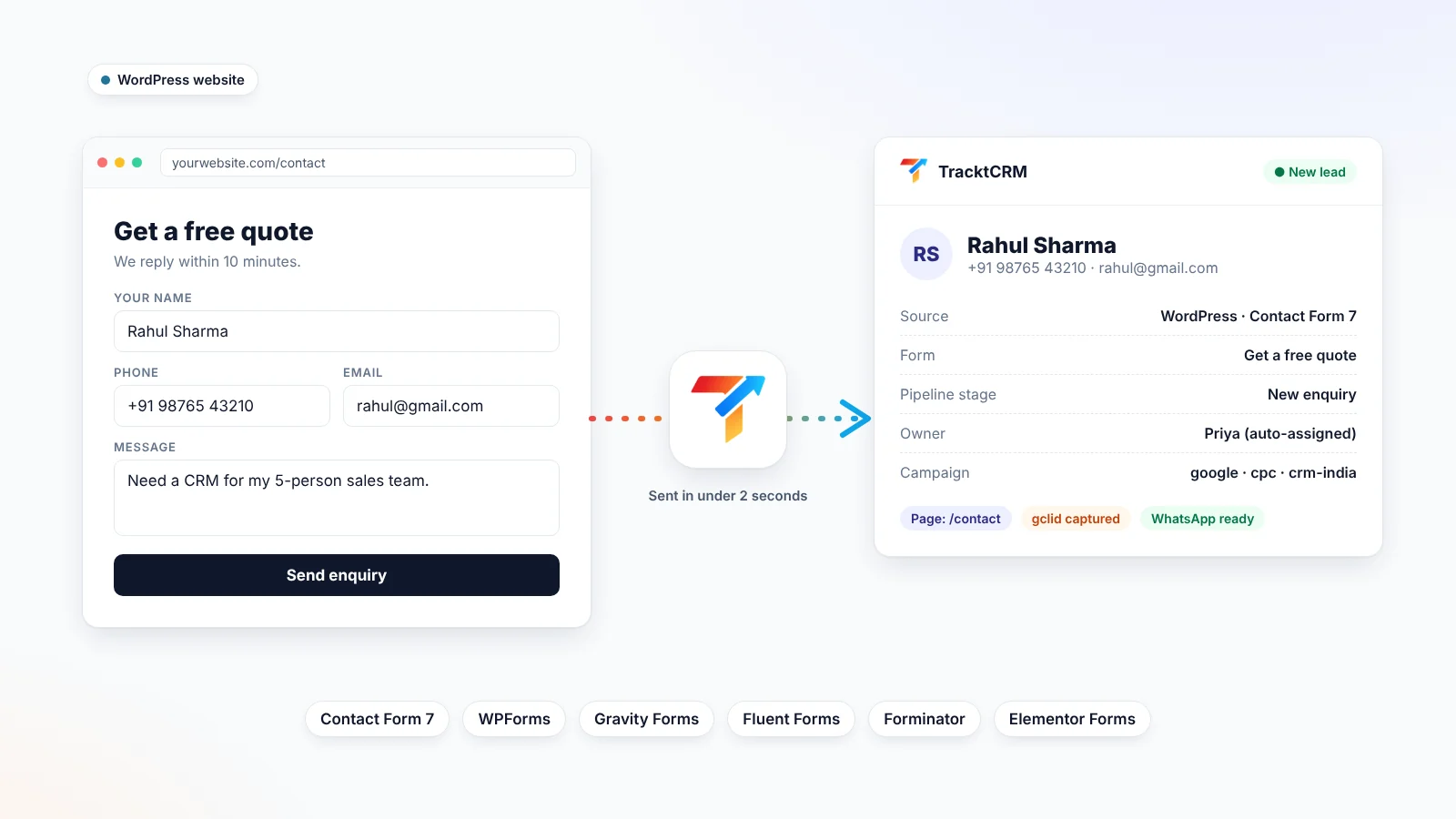
2-minute setup. Click Connect, then Allow. No API key needed.
6 form plugins. Detected automatically.
0 lost leads. Saved and retried if anything fails.
Free plugin. Leads land in your TracktCRM account.
FORM PLUGINS
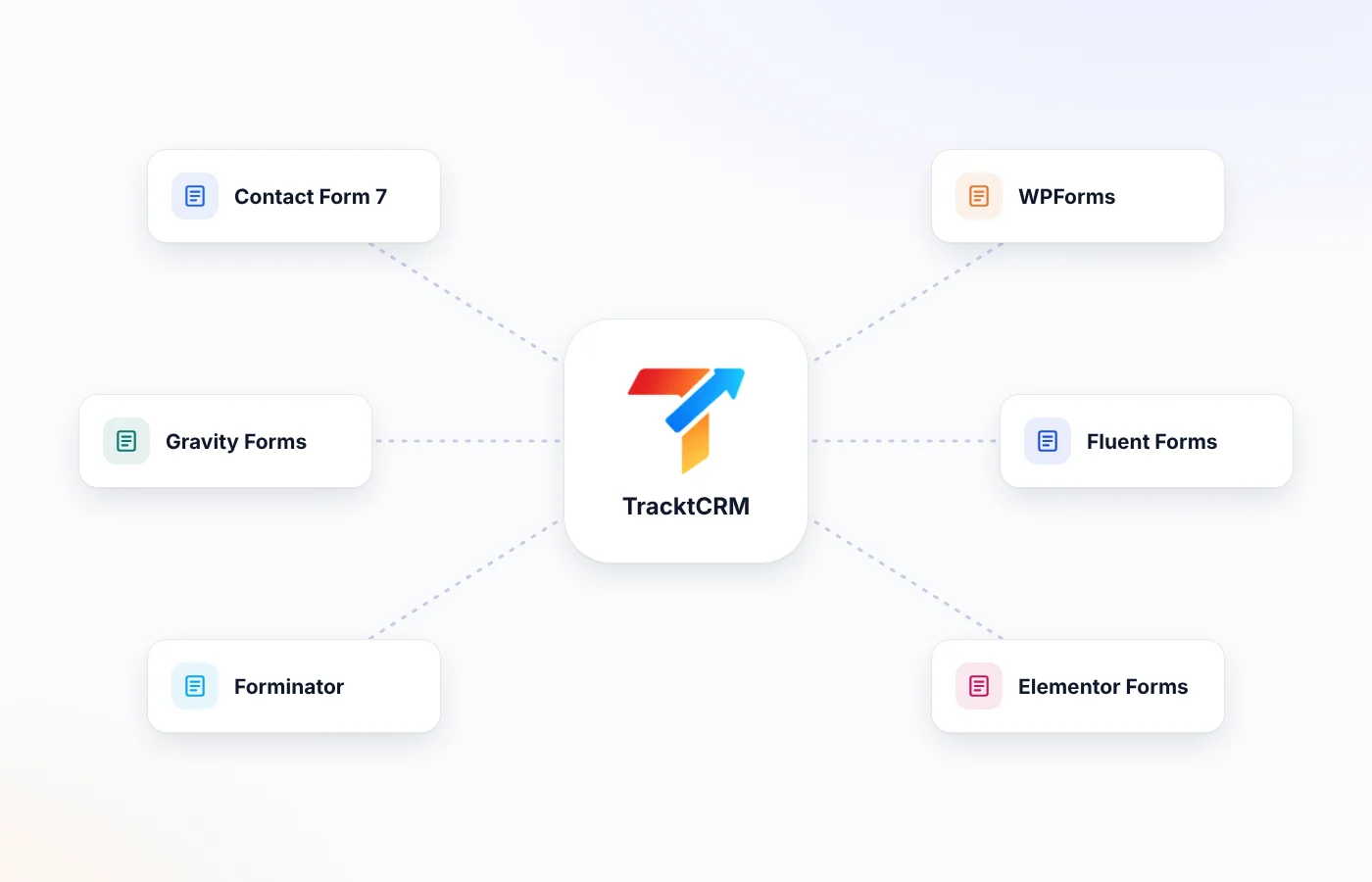
No need to rebuild your forms. Install TracktCRM next to your current form plugin and every form on your site shows up in the plugin settings. Turn each form on or off with one switch.
The most popular free form plugin. Every form is detected automatically.
Name fields are split into first and last name for you.
Works with name, address, dropdown and file upload fields.
Works with multi-column layouts and name fields.
Works with every Forminator form type that collects contact details.
Forms appear in the plugin after their first submission. Leads are sent from day one.
SETUP
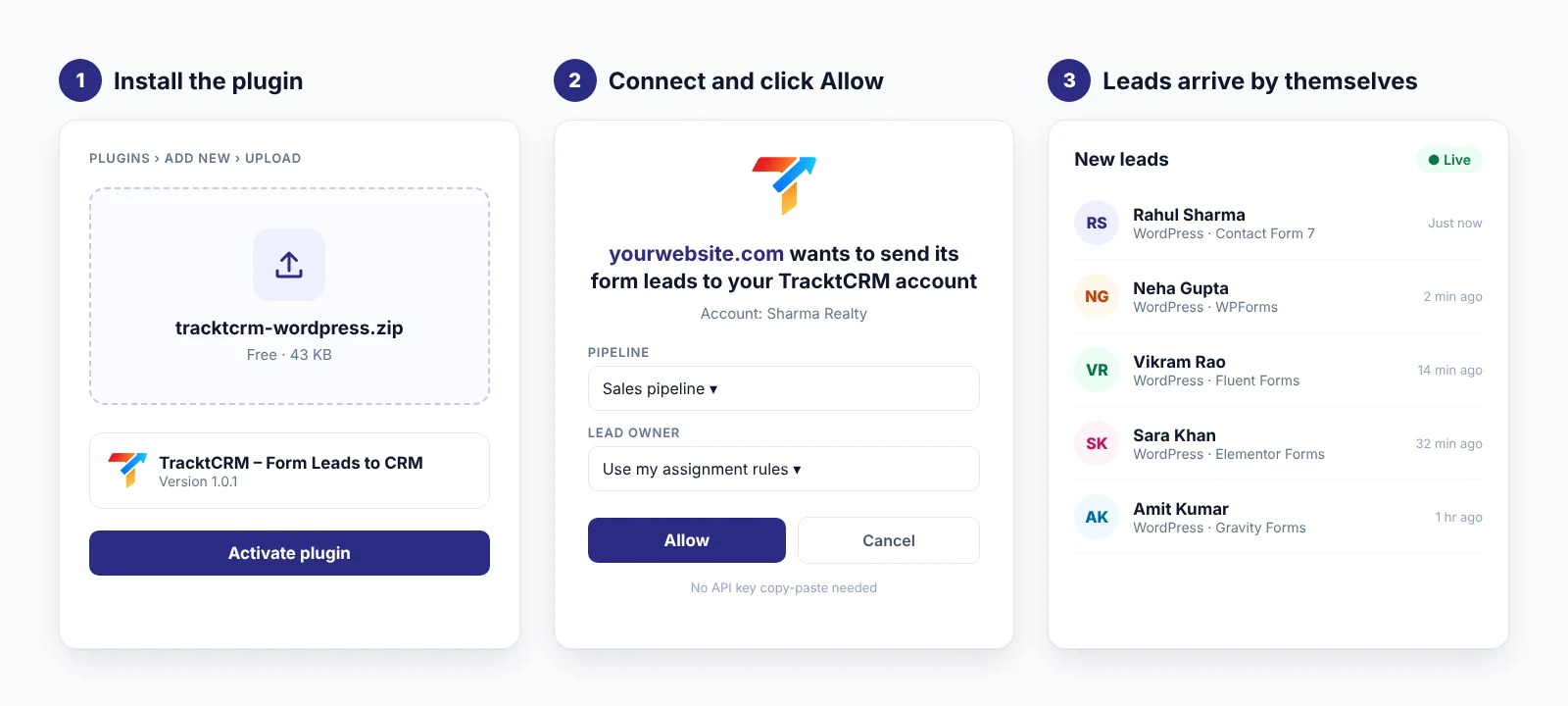
Download and install the plugin. In WordPress go to Plugins → Add New → Upload Plugin. Choose tracktcrm-wordpress.zip, then click Install and Activate.
Click “Connect to TracktCRM”. Open TracktCRM in the WordPress menu and click the button. A new tab opens your TracktCRM login.
Click Allow. Choose the pipeline and lead owner (or keep your assignment rules), then click Allow. The plugin connects by itself. You don't copy or paste any key.
Test it. Submit one of your forms. The lead appears in TracktCRM within seconds, and in the plugin's Activity list.
LEAD DETAILS
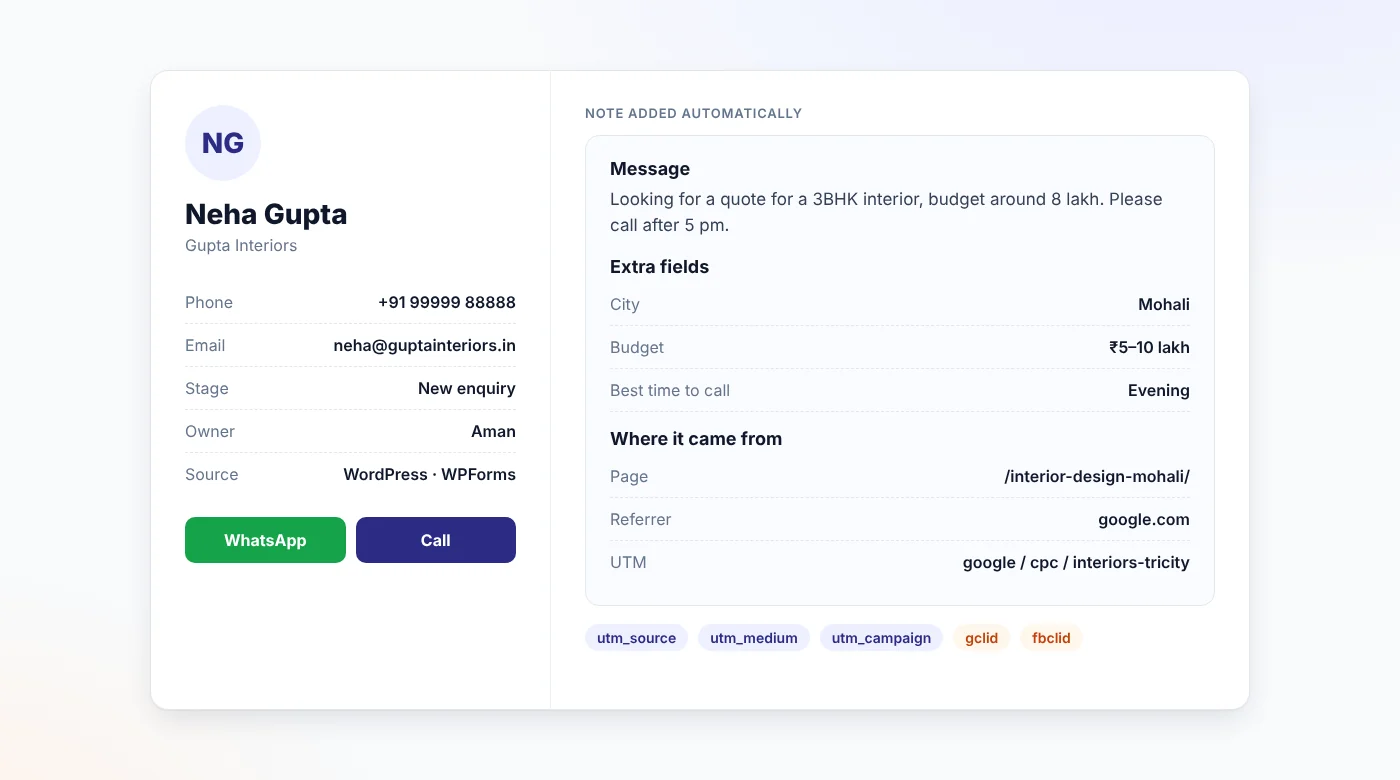
TracktCRM doesn't just copy the name and number. Each lead arrives ready for your sales team to act on:
FEATURES
Log in and click Allow, just like connecting a Google account. No API keys to copy or leak.
The plugin recognises name, email, phone, company and message fields on its own. Change any field with a simple dropdown if you need to.
Send only the forms that matter. Keep newsletter or careers forms out of your sales pipeline.
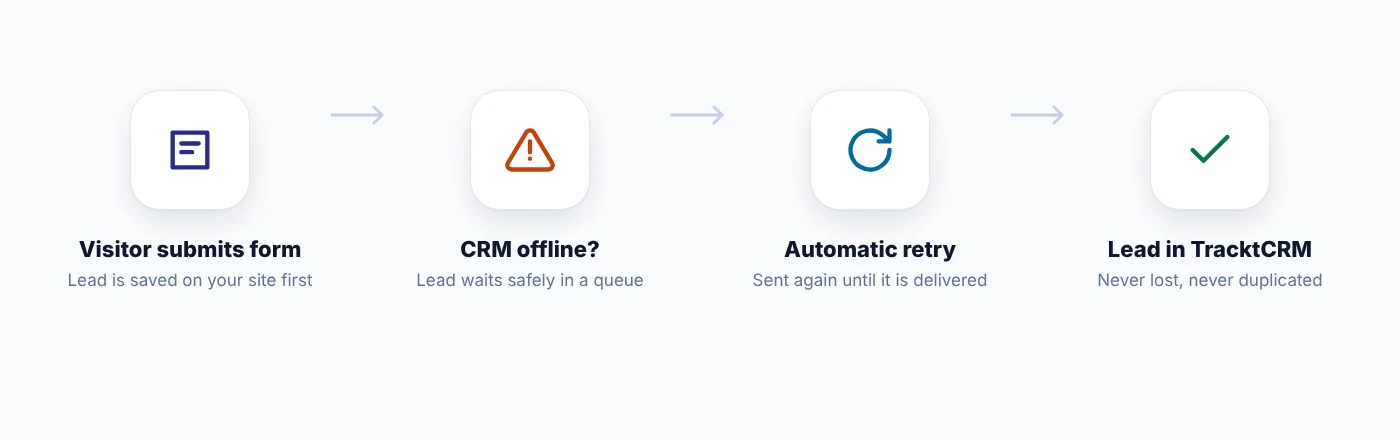
Every submission is saved on your site first. If TracktCRM can't be reached, the plugin retries automatically until the lead is delivered.
Retries never create a second lead. If the same person enquires again, the new message is added to their existing open lead instead of creating a copy.
New WordPress leads trigger your TracktCRM assignment rules and automations. They can be assigned to a salesperson, get a WhatsApp reply and get a follow-up task automatically.
RELIABLE DELIVERY
Most form-to-CRM setups fail silently: a timeout, an expired key or a paused subscription, and the lead is simply gone. The TracktCRM plugin stores every submission on your WordPress site before sending it. If the CRM is offline, your key was revoked, or your plan needs renewing, the lead waits in a queue and is sent automatically once things are fine again. The plugin's Activity screen shows what was sent, what is waiting and why.
INSIDE THE PLUGIN
Everything lives on one screen in WordPress. You can see your connection status, plan and pipeline, turn each form on or off, map fields, and check the last 20 leads with a direct “View lead” link into TracktCRM.
Download free plugin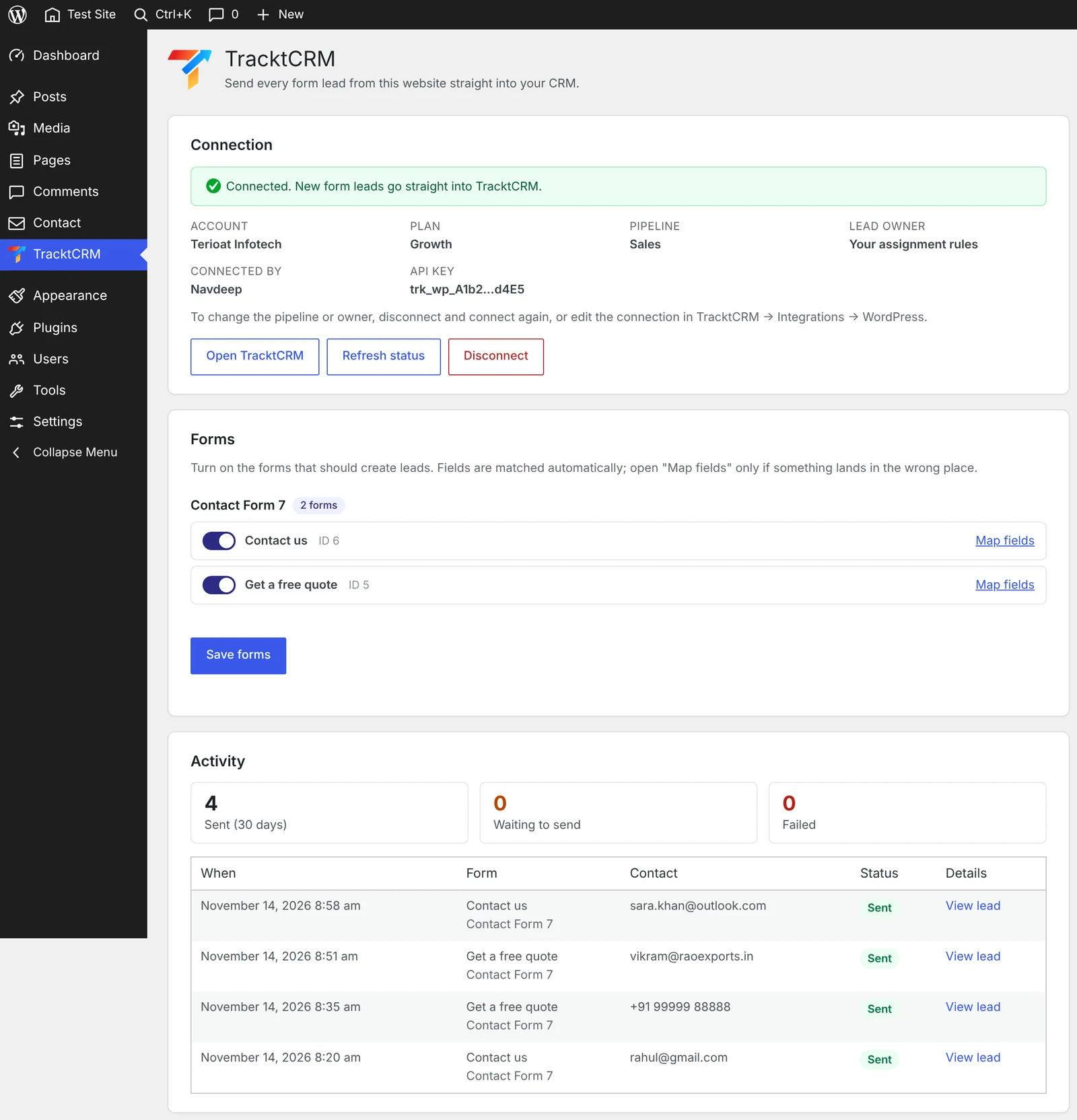
COMPARISON
| Feature | Email notifications | Zapier / Make | TracktCRM plugin |
|---|---|---|---|
| Setup time | Already on | 20–30 min per form | 2 minutes for all forms |
| Monthly cost | Free | Paid plan as volume grows | Free plugin |
| Lead reaches CRM | Only if someone copies it | Yes | Yes, within seconds |
| UTM and ad click IDs | No | Only if you map them | Yes, automatically |
| Retries if something fails | No | Limited | Yes, queued on your site |
| Duplicate protection | No | No | Yes |
| Works for every form | Yes | One zap per form | Yes, switch per form |
WHO IT'S FOR
Property enquiry forms become leads with the project page they came from.
Run client websites on WordPress? Send each client's leads into their own pipeline.
Admission enquiry forms go straight to counsellors.
Quote and callback forms are followed up on WhatsApp in minutes.
FAQ
Yes. The plugin is free to download and use. Leads are delivered into your TracktCRM account, and receiving them needs a paid TracktCRM plan.
Contact Form 7, WPForms (Lite and Pro), Gravity Forms, Fluent Forms, Forminator and Elementor Pro Forms. The plugin detects them automatically.
No. Click “Connect to TracktCRM”, log in and click Allow. An API key option is still there for special cases, like staging sites.
The lead is saved on your WordPress site and retried automatically. When your plan is paused, leads are kept for up to 30 days and sent as soon as it is active again.
No. Each submission has a unique ID, so a retry is never counted twice. If the same person submits again, the new enquiry is added to their existing open lead.
Yes. utm_source, utm_medium, utm_campaign, utm_term, utm_content, gclid and fbclid are captured with a small first-party cookie and added to the lead. You can turn this off in the plugin settings.
Yes. Pick the pipeline and lead owner on the Allow screen, or let your TracktCRM assignment rules decide.
Yes. Every form has its own on/off switch. Newsletter or job application forms can stay out of your sales pipeline.
No. The front-end script is under 2 KB and only stores the campaign source. Leads are sent from the server after the form is submitted.
Yes. Install the plugin on each site and connect it. You can see and revoke every connected site in TracktCRM → Integrations → WordPress.
See pricing for what each plan includes.
MORE INTEGRATIONS
Install the free plugin, click Allow, and your next website enquiry lands in TracktCRM ready to call.