
Messages become leads
New WhatsApp messages become leads automatically, with no manual entry.
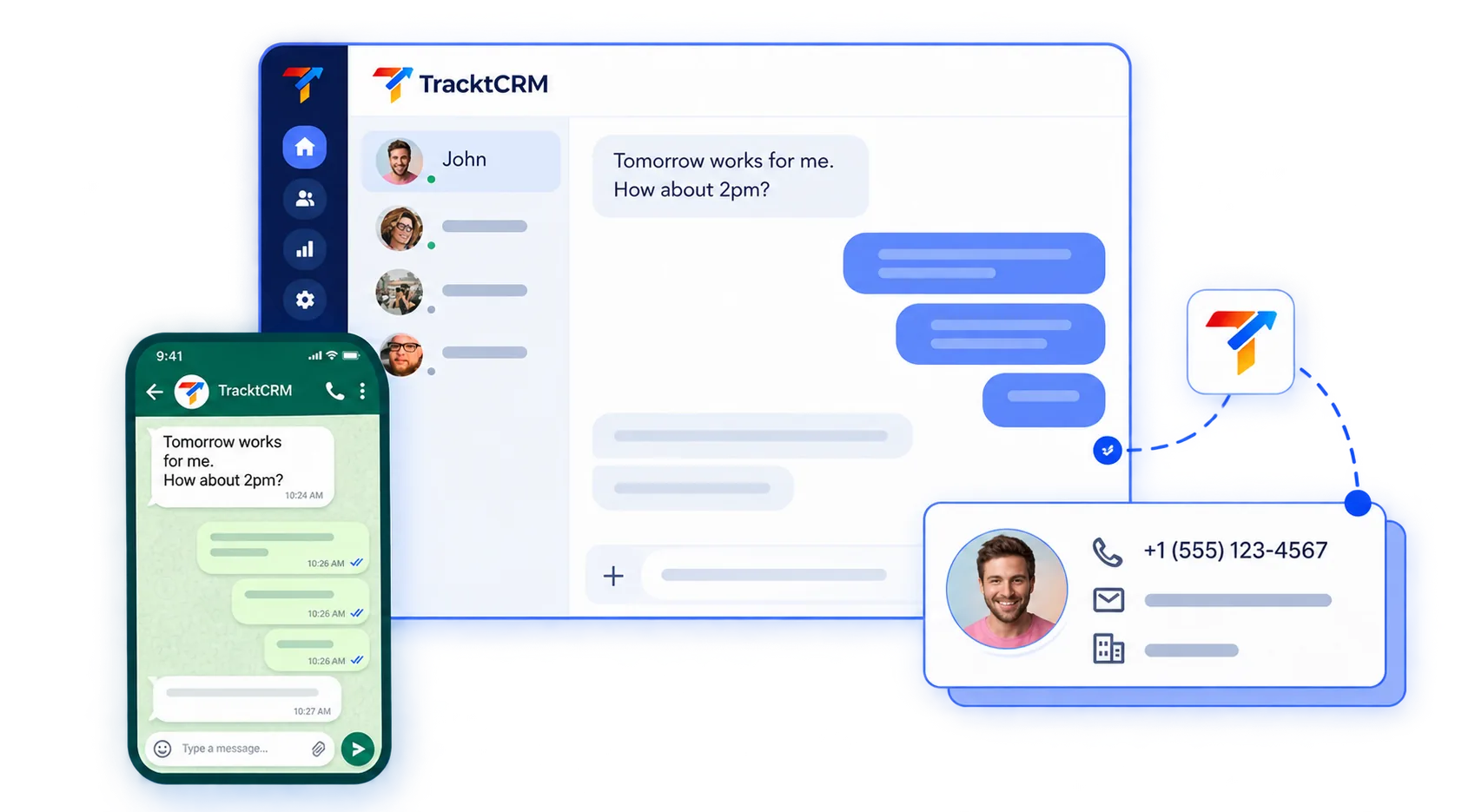
Your customers already message you on WhatsApp. TracktCRM is a WhatsApp CRM that turns every enquiry into a lead, lets your team reply from a shared inbox, sends automatic first replies and keeps the whole conversation on the deal. Nobody has to switch between WhatsApp and the CRM.
THE WHATSAPP PROBLEM
Many CRMs offer a WhatsApp "integration" that sits on top of software built for email and forms. That is not the same as a CRM designed around how WhatsApp conversations work. Four problems show up again and again:
A generic CRM loses context when your team switches in and out of chat.
Most CRMs were not built to log and organise that kind of thread.
One tab for chat, one for the CRM, and copy and paste between them.
Nothing nudges a rep back into a conversation that stopped mid-deal.
WHATSAPP CRM SOFTWARE
A WhatsApp CRM is customer relationship management software built around WhatsApp as a main channel, not added on as an extra. It turns each WhatsApp message into a lead, lets your team reply from one shared inbox, and keeps every conversation on the lead or deal record.
Use it with our AI sales assistant and our lead management software, explore our CRM software, or see how real estate teams, admissions teams, agencies and recruiters use WhatsApp.
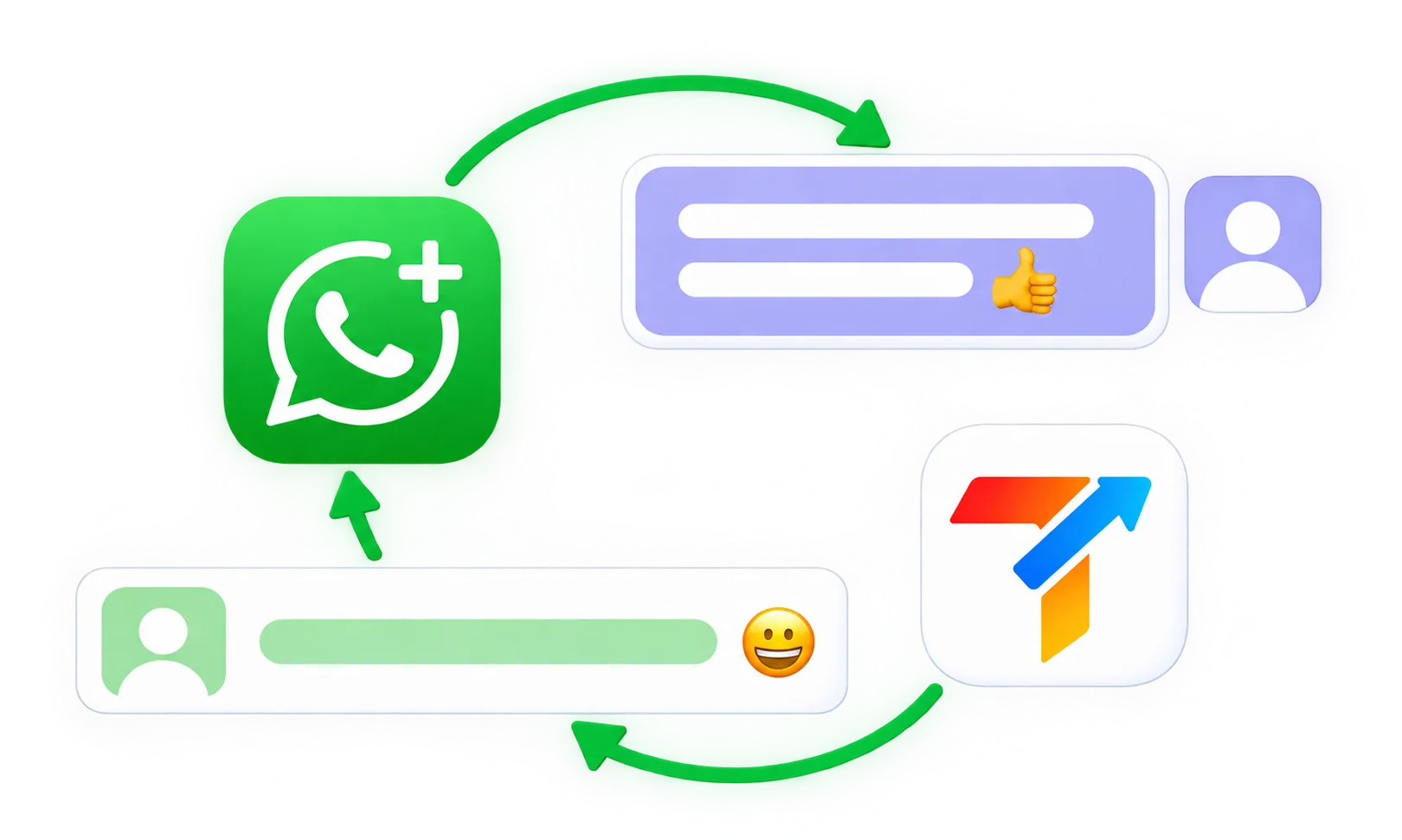
New WhatsApp messages become leads automatically, with no manual entry.
Replies go out from the CRM, with no switching to WhatsApp Web.
Templates and automatic replies handle common questions.
Every thread stays attached to the lead or deal.
Follow-up reminders are based on WhatsApp activity, not only email or calls.
FEATURES
Every new WhatsApp message creates or updates a lead, so nobody has to add contacts by hand.
Send and receive WhatsApp messages inside the CRM, synced with the customer's real WhatsApp thread.
Set up quick replies for common questions, or let the AI send the first reply to a new enquiry. See the AI CRM.
The full thread stays on the lead record, so any rep can pick up with full context.
If a chat goes quiet, TracktCRM flags it for follow-up before the lead goes cold.
If several people use one WhatsApp Business number, conversations are assigned and routed so none are answered twice or missed.
Label leads and their chats, for example VIP or hot lead, so the team can see priority at a glance.
WHATSAPP CHATBOT
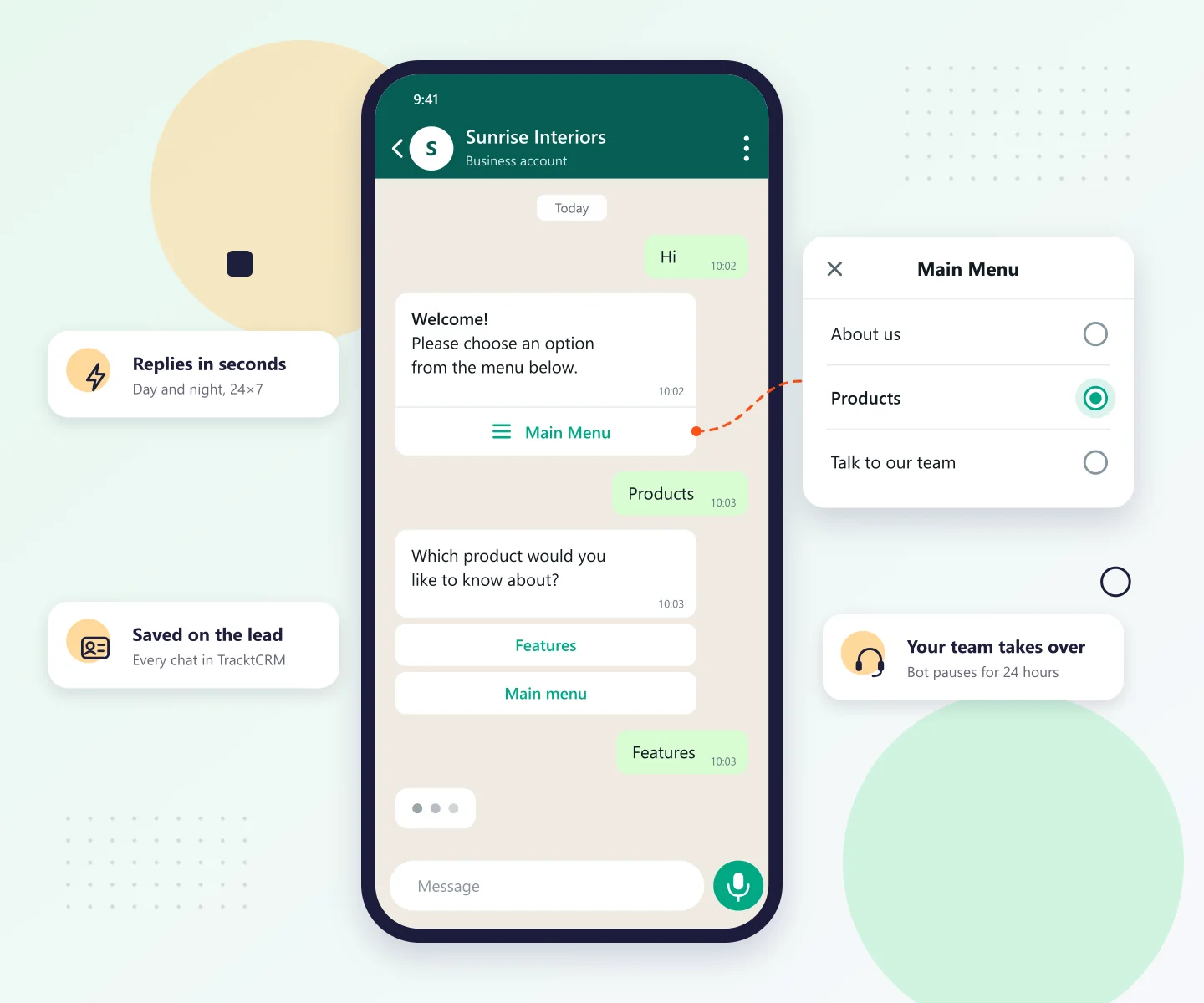
Greet every new enquiry with a WhatsApp chatbot menu. When the customer taps an option, the bot sends the answer you set for it: text, an image, reply buttons or a link. When someone on your team replies by hand, the bot steps back.
The chatbot runs on the official WhatsApp Business API, included on the Pro, Premium and All-in-One plans. Compare plans.
Start from Main menu, Product enquiry or Appointments & visits, change the text to match your business and turn it on.
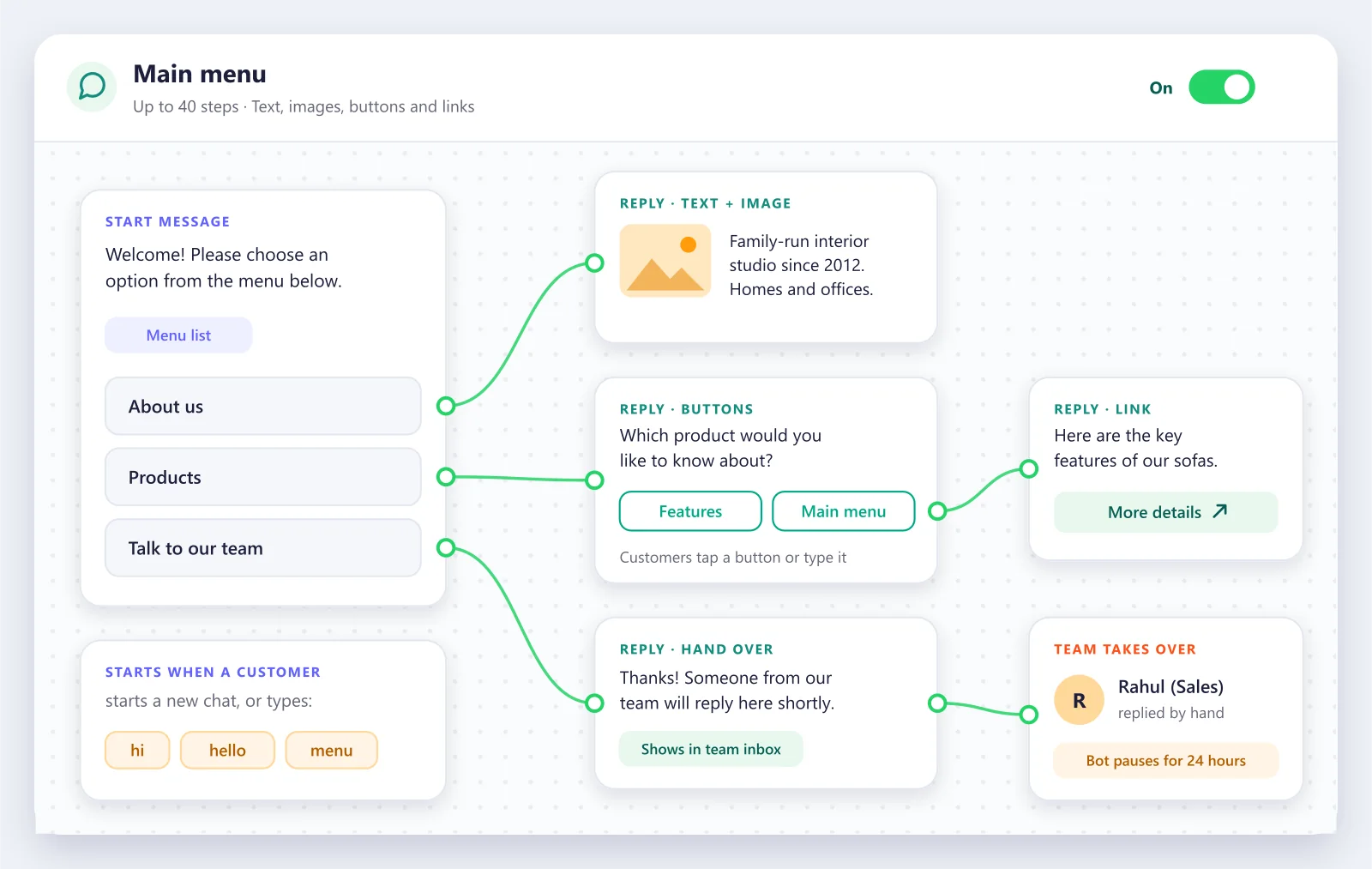
Send a menu of up to 10 options, up to 3 reply buttons, a link button or a plain message, with an image if you want one. Customers can tap an option or type it.
The bot can greet every new conversation, or start when a customer types a keyword such as hi, hello or menu.
Once someone on your team replies by hand, the bot stays quiet in that chat for 24 hours, so the customer never gets two answers.
Bot messages and customer replies show in the team inbox and on the lead, so your rep sees what was asked before replying.
If a customer sends STOP, the bot stops messaging them. Built-in limits also stop two bots from replying to each other in a loop.
Choose a template, change the text to match your business, then save and turn it on.
Welcome customers with a menu: about your business, your products and a way to reach your team.
Answer product questions with buttons for features and price, and pass interested buyers to sales.
Share your timings and location, and send a booking link when someone wants an appointment.
Build your own menu step by step, with up to 40 steps.
Connect your number through the official WhatsApp Business API from Integrations, then WhatsApp Business.
Change the welcome message, menu options and replies. Add an image, reply buttons or a booking link where you need one.
Choose when it starts, on every new conversation or on keywords like hi, hello and menu, and switch it on.
WHATSAPP RULES
WhatsApp has its own rules, and a good WhatsApp CRM helps you follow them. In plain terms:
You can send free-form replies to a customer for 24 hours after their last message. After that, you can only send an approved message template.
Templates for follow-ups, reminders and other messages you start are approved by WhatsApp before you can use them.
Customers should agree to receive your messages and be able to opt out. This also matters under data protection laws.
WhatsApp charges per delivered business message. Rates depend on the type of message and the customer's country, and each business number gets a monthly allowance of free replies. See Meta's WhatsApp pricing.
APP VS API
| WhatsApp Business app | WhatsApp Business API | TracktCRM | |
|---|---|---|---|
| Who it suits | Small teams on a phone | Teams that need scale and automation | Teams that want WhatsApp and a CRM together |
| Team access | Limited devices | Many agents through software | Shared inbox with assignment |
| Automation | Basic quick replies | Templates, bots, workflows | Templates, chatbot, AI first replies and reminders |
| CRM records | None | Needs software on top | Lead and deal record built in |
| Set-up | Download and verify | Needs Meta approval and a provider | We help you connect |
HOW IT WORKS
A customer messages your WhatsApp Business number and TracktCRM creates the lead instantly.
A template or AI reply is sent within seconds, so no enquiry sits unanswered. After 24 hours, an approved template is used.
Reps reply from TracktCRM and every message is logged on the lead.
Stage, notes and next steps update next to the thread.
If a chat goes quiet, the rep is nudged before the lead is lost.
The full conversation stays on the record for reporting or hand-over.
BUYER'S GUIDE
Not every WhatsApp CRM is built the same. Check these five things:
Is WhatsApp core to the product or a limited plug-in?
Can you reply from the CRM itself?
Is it a proper API connection, not an unofficial workaround that puts your number at risk?
Can you edit templates and AI replies so conversations stay personal?
Does it stop duplicate or missed replies when several people use one number?





WhatsApp works with the rest of your stack: Meta and Google Ads, 99acres and Housing.com, Gmail and Google Calendar, Shopify and Razorpay. Browse all CRM integrations or see TracktCRM pricing.
Don't see your tool? Let us know and we'll integrate it for you
SEE IT IN ACTION
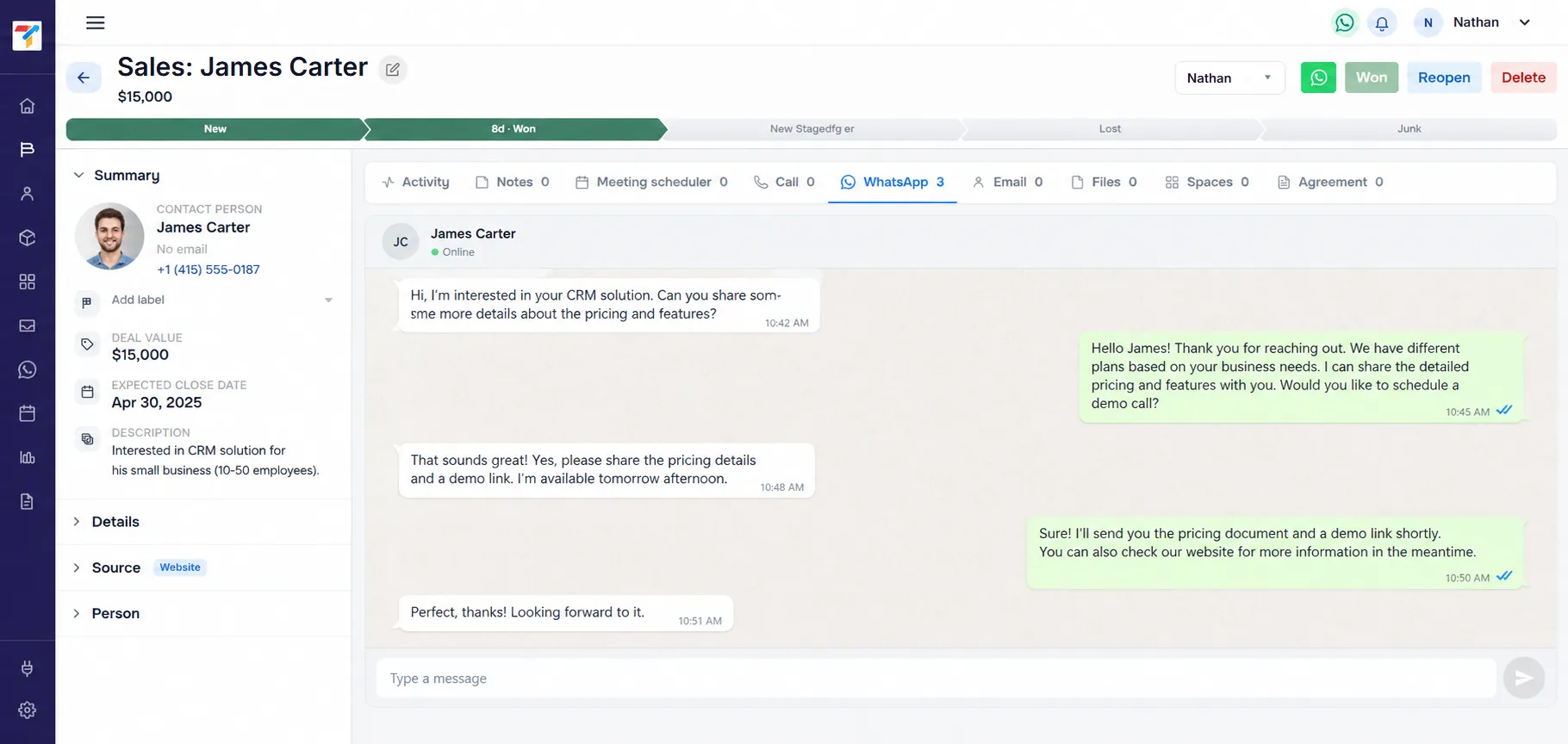
A live conversation sits beside the lead's stage and notes, so WhatsApp lead management stays inside the CRM and not in a phone inbox.
FAQ
Yes. TracktCRM connects through the official WhatsApp Business API, which follows WhatsApp's rules. Account approval and message limits are decided by Meta.
TracktCRM assigns and routes conversations, so several people can work from one WhatsApp Business number without duplicate replies.
No. Once your number is connected, your team sends and receives messages from TracktCRM.
Set up template quick replies, or let the AI send the first reply to new enquiries. Outside the 24-hour window, approved templates are used.
Yes. You can build a WhatsApp chatbot that replies with a menu, reply buttons, links and images, starting from a ready-made template or from scratch. It runs on the official WhatsApp Business API, which is included on the Pro, Premium and All-in-One plans.
No. Once someone on your team replies by hand, the chatbot stays quiet in that chat for 24 hours, so your rep can carry on the conversation.
Often yes, but it depends on how the number is registered with WhatsApp. We guide you through the options.
Customers see your business name and profile. A verified badge is decided by Meta and is not guaranteed.
Yes. WhatsApp integration is included in the Free plan, with no credit card required.
Software that turns WhatsApp messages into leads, lets a team reply from a shared inbox, and keeps every conversation on the lead or deal record.
The app is a phone tool for small teams. A WhatsApp CRM connects through the API, supports many agents, automation and lead records, and tracks deals.
You can send free-form replies for 24 hours after a customer's last message. After that you need an approved message template.
Meta charges per delivered business message, with rates that depend on the message type and the customer's country. Each business number gets a monthly allowance of free replies. Ask us how these charges are billed with your TracktCRM plan.
Try the CRM free and connect your WhatsApp Business number, or book a demo to see it with your own conversations.