
Property records
Store type, purpose, builder, project, city, locality, address, area, price or rent, facing, floor and possession for each listing.
THE BASICS
Inventory management in a CRM means the things you sell or rent, such as flats, plots, shops, equipment or tour packages, live inside the same system as your leads and deals. Your team looks up an item, checks its status and talks to the buyer without switching tools.
For brokers, builders and rental businesses this removes the double work of keeping a listings sheet and a lead tracker in step. One record per item, one status everyone trusts.
FEATURES
A complete listing record for every item, with the search and filters your team needs to find it fast.
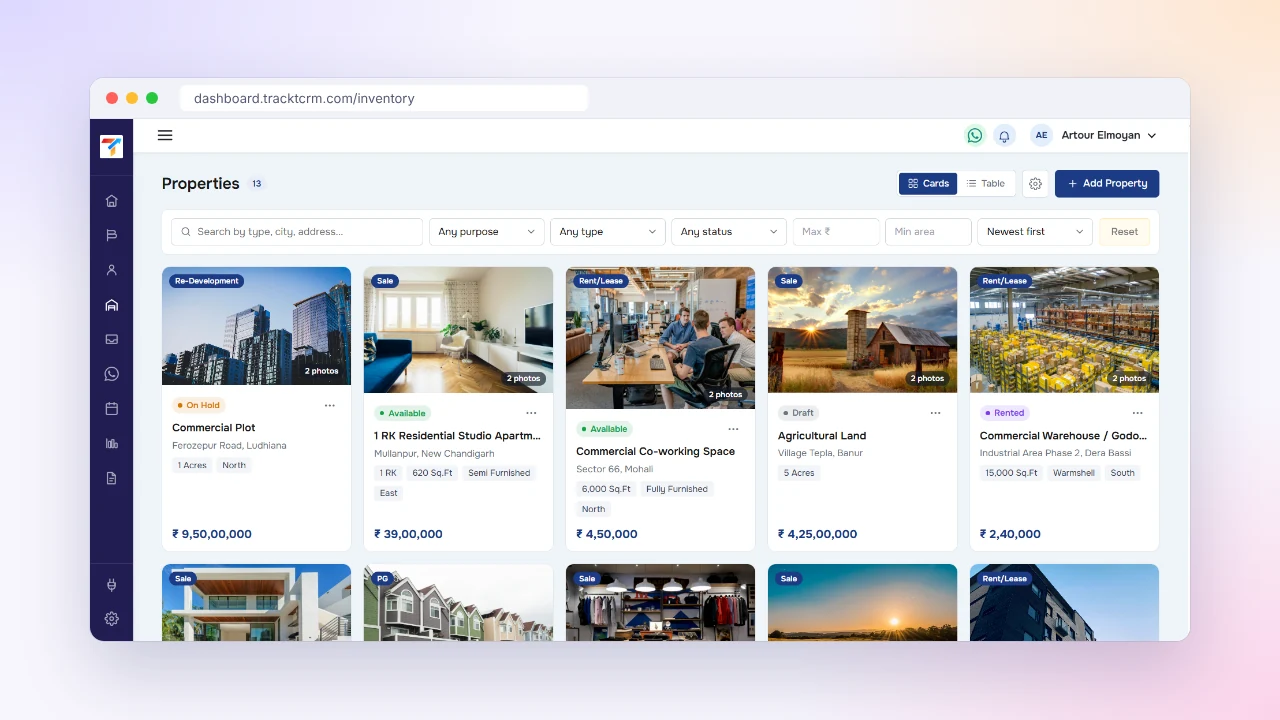
Store type, purpose, builder, project, city, locality, address, area, price or rent, facing, floor and possession for each listing.
Mark every listing as Draft, Available, On Hold, Rented or Sold, shown as a clear badge on the card and in the table.
Add multiple photos to a listing, pick the cover image and see the photo count on the card.
Search by type, city or address and filter by purpose, property type, status, maximum price and minimum area.
Switch between a photo-led cards view for browsing and a compact table for scanning many listings at once.
Attach an owner or landlord to a listing by searching your contacts by name or phone number.
BUYER'S GUIDE
A listings tool is only useful if your team keeps it up to date. Check these points before you choose.
A property needs facing, floor and possession. A rental item needs different details. The form should fit what you actually sell.
A single status per item stops two reps promising the same flat to two buyers.
Buyers ask for pictures first. Photos should live on the listing, not in a chat you have to scroll.
Finding a 2 BHK under a budget in one sector should take seconds, not a spreadsheet filter.
Owners and landlords are contacts too. Linking them saves you retyping names and phone numbers.
Inventory should not need a separate subscription. Look for it inside the plan you already pay for.
CHOOSE WHAT YOU MANAGE
A broker does not manage the same things as a car dealer or a tour operator, and one fixed form never fits all of them.
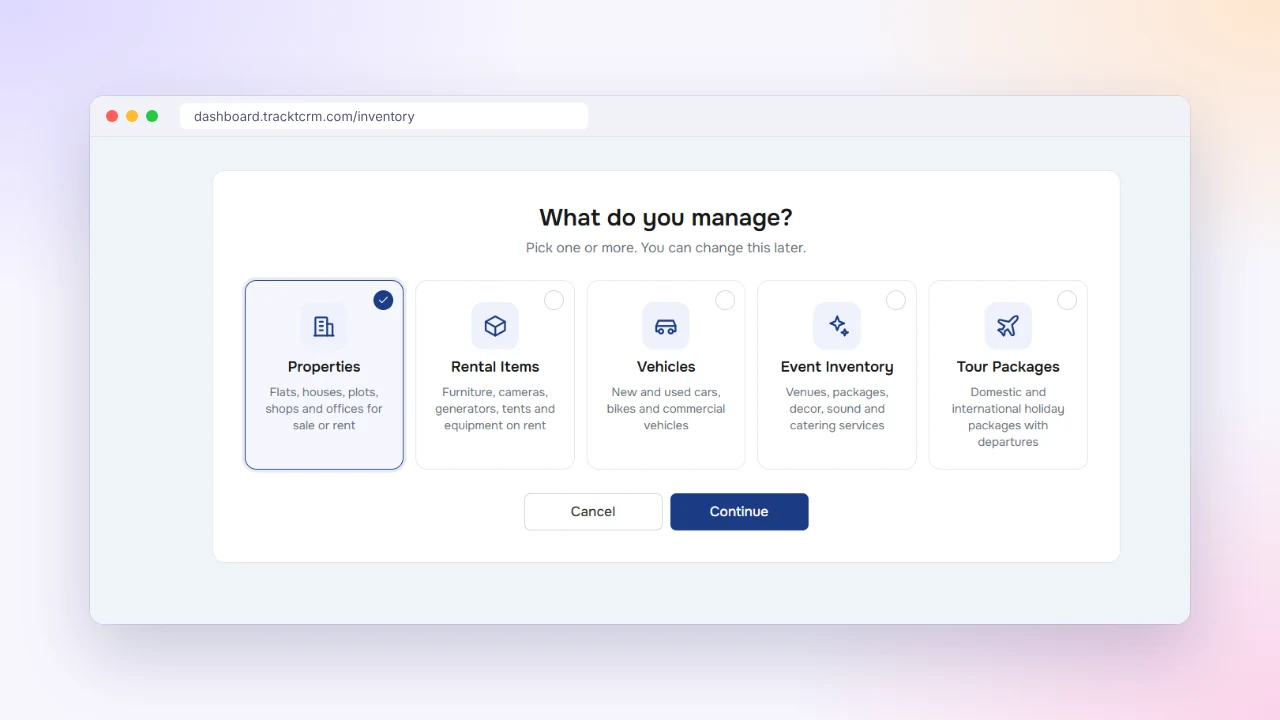
When you open Inventory, TracktCRM asks what you manage. Pick one or more of Properties, Rental Items, Vehicles, Event Inventory and Tour Packages, and you can change the choice later as your business grows.
Each option comes with a description so your team knows where things belong, from flats, plots and offices to cameras, tents, venues and holiday packages.
BROWSE AND FILTER
Every enquiry has a budget, a location and a type. Scrolling a long sheet to match them wastes the time you have to reply while the buyer is still interested.
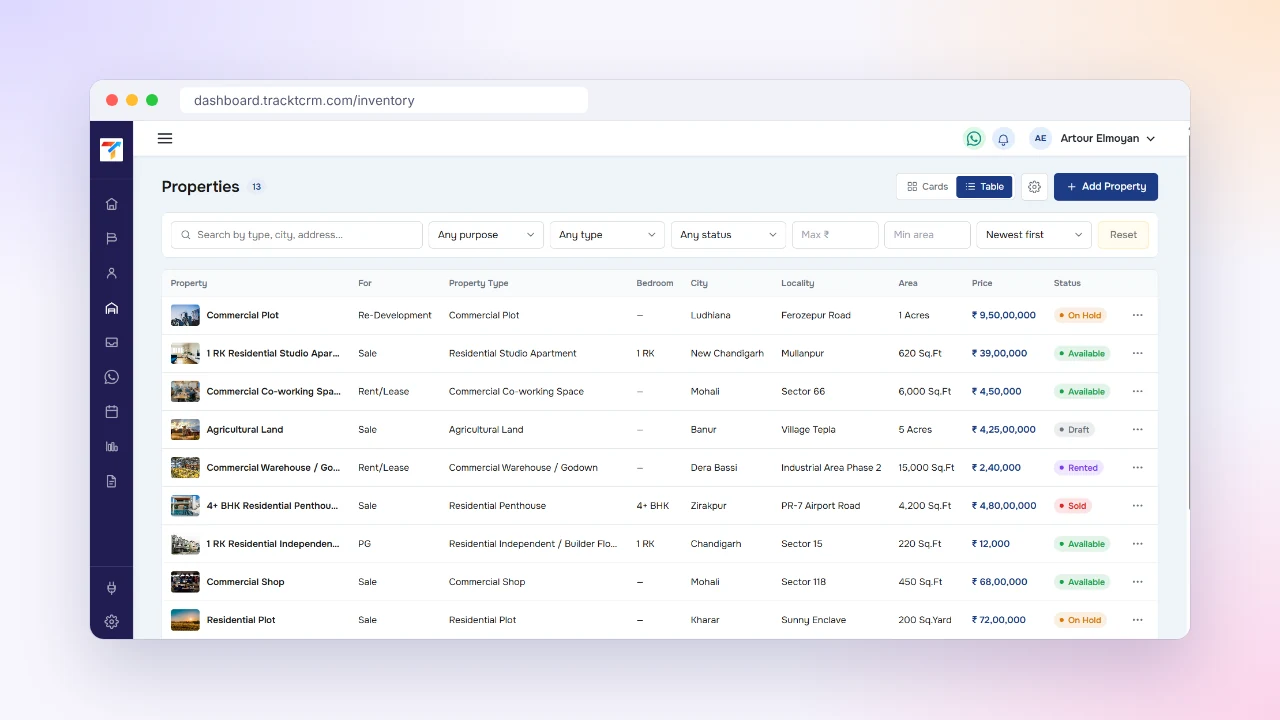
Use the table view to scan many listings in one screen, with property, purpose, type, bedrooms, city, locality, area, price and status in columns. Search by type, city or address and narrow results with the purpose, type, status, price and area filters.
Sort by newest first so fresh listings are always on top.
COMPLETE LISTINGS
Missing details create the same follow-up call again and again: what floor is it, which way does it face, when is possession?
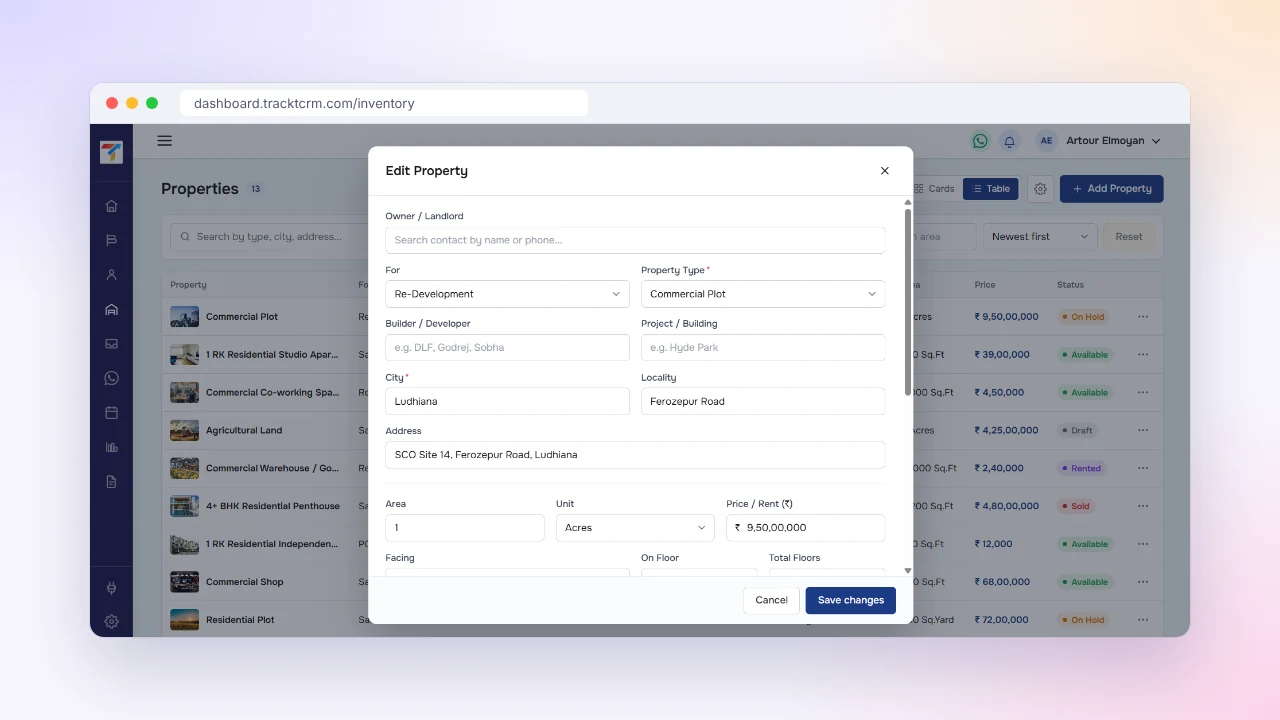
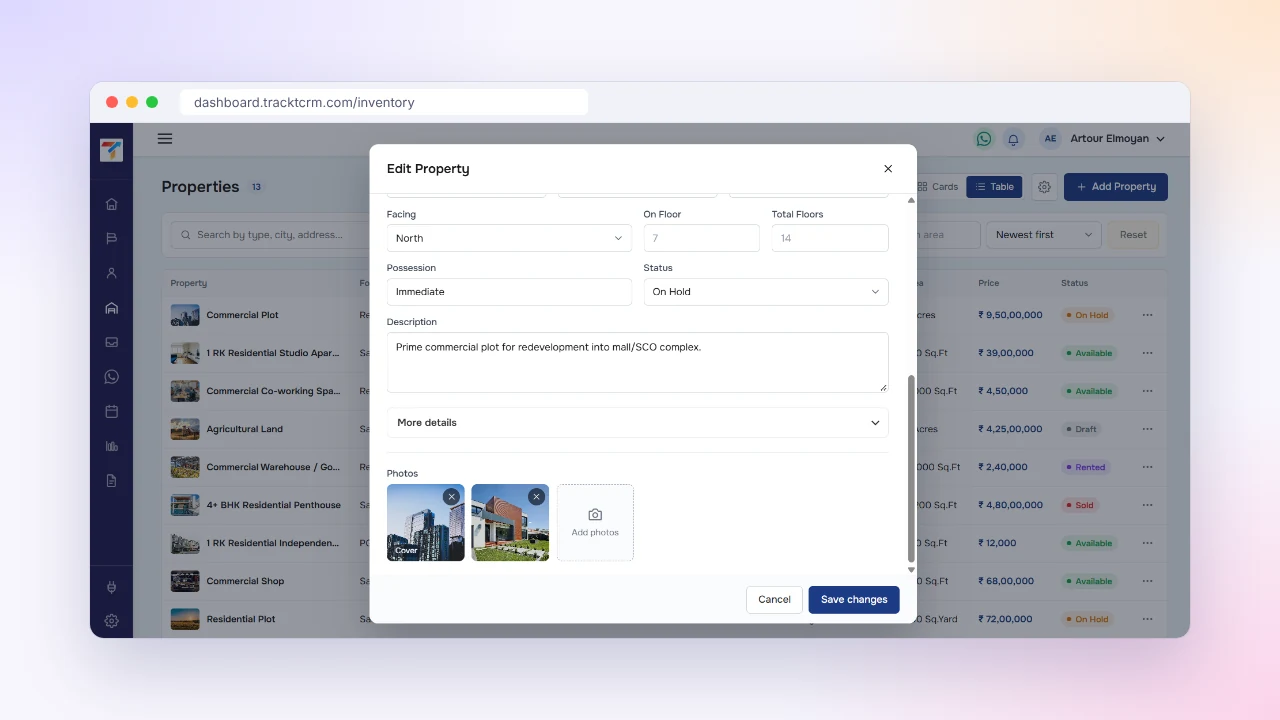
The Add Property form covers the owner or landlord, purpose, property type, builder or developer, project or building, city, locality, address, area with its unit, price or rent, facing, floor and total floors, possession, status and a free description.
Fill it once and your whole team has the answer, whether they are at their desk or on a site visit.
PHOTOS AND STATUS
Photos sent on WhatsApp get buried within a day, and nobody remembers which flat was already sold.
Add photos straight to the listing, choose the cover image and remove the ones you do not need. Update the status from the same form as the deal moves along, from Available to On Hold, Rented or Sold.
Cards show the cover photo, the photo count and the status badge, so a glance tells you what you can still offer.
SETUP
Start with the listings you are actively selling or renting and add the rest over time.
Pick Properties, Rental Items, Vehicles, Event Inventory or Tour Packages from the Inventory screen.
Fill in the details, link the owner and upload photos with a cover image.
Mark each listing as Draft, Available, On Hold, Rented or Sold and keep it current.
Use filters and the cards or table view to find the right listing for each enquiry.
INTEGRATIONS
Leads from portals, ads, forms and WhatsApp arrive in the same CRM where your listings live, so matching a buyer to a property stays in one place.
 WhatsApp
 Gmail
 Google Calendar
 Meta Lead Ads
 Google Ads
 IndiaMART
 Justdial
 99acres
 Housing.com
 Shopify
 Razorpay
 Webhooks
WORKS WELL WITH
Listings are the product. These features help you turn enquiries into closed deals.
Capture leads from portals and ads and assign them to the right rep.
Move each buyer from first enquiry to site visit to closed deal.
Chat with buyers on WhatsApp and keep every conversation on the lead.
FAQ
No. Inventory management is part of the Pro plan and the plans above it, Premium and All-in-One. The Free plan stays free forever for 1 user, with a single pipeline and unlimited records.
When you open Inventory you choose what you manage: Properties, Rental Items, Vehicles, Event Inventory or Tour Packages. You can pick more than one and change your choice later.
You can store the owner or landlord, purpose such as sale, rent or lease, property type, builder or developer, project or building, city, locality, address, area and unit, price or rent, facing, floor, total floors, possession, status, a description and photos.
Yes. You can upload several photos to each listing and choose a cover image. The card view shows the cover photo and how many photos the listing has.
Every listing has a status. Set it to Draft, Available, On Hold, Rented or Sold and the badge appears on the card and in the table, so your team can see what is still open.
Yes. Search by type, city or address, filter by purpose, property type, status, maximum price and minimum area, and sort by newest first. You can switch between cards and table views.
Yes. Brokers can keep sale, rent and lease listings with owner details, photos and status next to their leads. See our real estate CRM page for a pipeline built for brokers.
MORE FEATURES
Start free with 1 user, no credit card needed, and upgrade to Pro when you are ready to add inventory.