What is CRM? CRM stands for customer relationship management. It is a system, usually cloud software, that keeps every lead and customer in one place together with every call, message, quote and follow-up, so your team always knows who to contact next and what was said last time.
This guide explains the meaning and full form of CRM, how CRM software works, the three types of CRM, the features that matter for a small business, real examples and how to start without a big budget.
What Is CRM? (Quick Answer)
A CRM is a shared notebook that never forgets. Every time a lead enquires, calls, replies on WhatsApp or asks for a quote, the CRM stores it on that person's record. When someone on your team opens the record, they see the full history instead of asking "who spoke to this customer last?".
Without a CRM, the same information lives in many places: a spreadsheet, a salesperson's phone, an email inbox, a portal dashboard and someone's memory. Leads get lost between those places, and the business only finds out when the customer buys from someone else.
So, what is CRM good for in daily work? It fixes three everyday problems:
- Leads are missed. Enquiries from ads, forms, calls and portals land in one list and are assigned to an owner.
- Follow-ups are forgotten. Every lead has a next action with a date, and the owner gets reminded.
- Nobody sees the full picture. Owners and managers see how many leads, deals and sales there are, without asking each person.
What Does CRM Stand For? (Full Form and Meaning)
The full form of CRM is customer relationship management. The phrase has two meanings, and it helps to know both.
| Meaning | What it refers to | Example |
|---|---|---|
| CRM as a strategy | How a business attracts, wins and keeps customers | Replying to every enquiry within an hour and following up after the sale |
| CRM as software | The tool that stores customer data and supports the process | A cloud app where your team tracks leads, deals and follow-ups |
When someone asks "what is CRM software?", they usually mean the second one. The software only works if the strategy is clear: who owns a lead, how fast you reply and what happens after the first call.
What Is CRM vs ERP vs Excel?
CRM, ERP and spreadsheets are often confused. They do different jobs, and many businesses use more than one.
| Tool | Main job | Who uses it most | Example |
|---|---|---|---|
| CRM | Manage leads, deals, follow-ups and customer conversations | Sales and customer-facing teams | Track a quote and remind the owner to follow up |
| ERP | Run internal operations: accounting, inventory, purchasing and payroll | Finance and operations teams | Track stock levels and supplier invoices |
| Excel or Google Sheets | General lists and calculations | Anyone | A lead list with notes in a column |
In short, a CRM looks after the customer-facing side of the business, while an ERP looks after the internal side. If your problem is leads and follow-ups, you need a CRM. If it is stock and accounts, you need an ERP or accounting tool.
How Does a CRM Work?
A CRM follows a lead from first contact to a paying customer, and then keeps the relationship going. Here is how it works step by step.
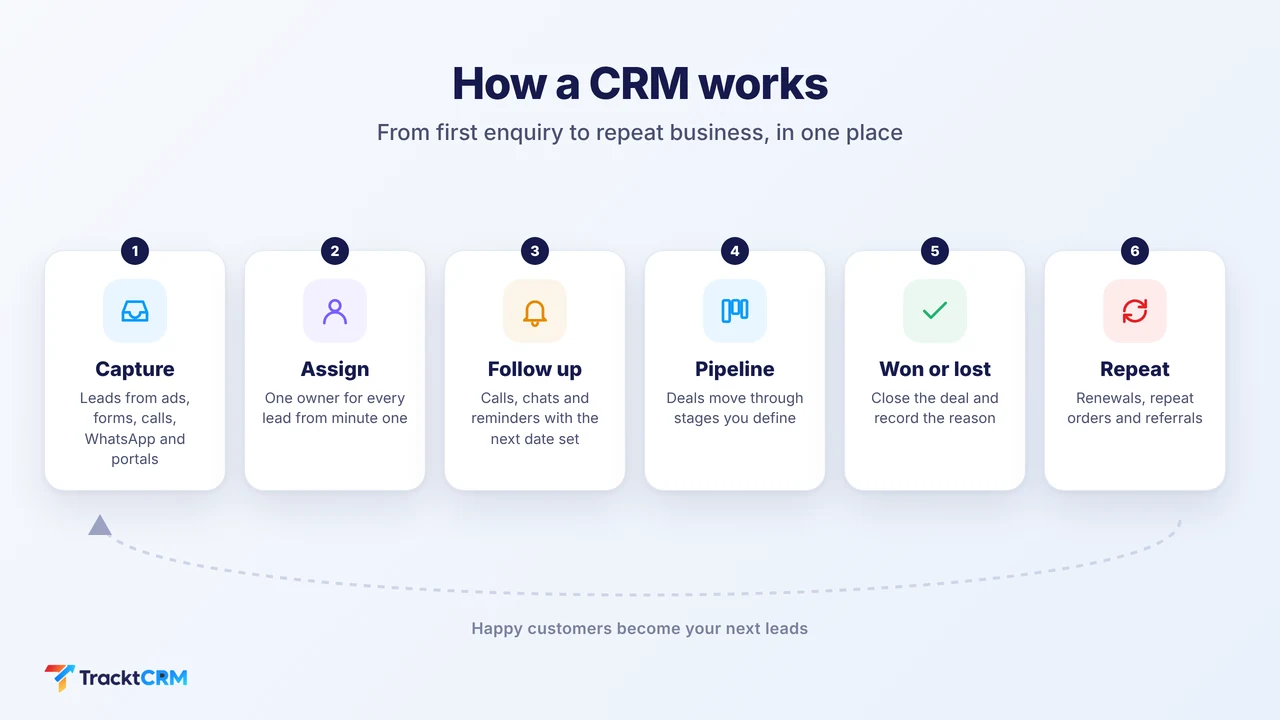
- Capture. A lead arrives from an ad, website form, phone call, WhatsApp message or a portal such as IndiaMART, Justdial or a property website. The CRM creates a record automatically, with the source saved.
- Assign. The lead goes to the right person, by rule or by hand, so every lead has one owner from the first minute.
- Follow up. The owner calls, chats or emails. The CRM saves the conversation and sets the next follow-up date.
- Move through the pipeline. The deal moves through stages you define, such as enquiry, meeting, quote and negotiation. Our guide to sales funnel management explains how to set stage rules.
- Close. The deal is marked won or lost. For lost deals you record a reason, so you learn what to fix.
- Keep the relationship. The customer record stays in the CRM. You can follow up for renewals, repeat orders and referrals.
What Is CRM Software Used For? Key Features
CRM tools differ in size, but the features that matter most to a small team are the same.
Lead capture and management
Leads from every source arrive in one list, with duplicates handled and an owner assigned. This is the feature most businesses buy a CRM for. See our page on lead management software for details.
Sales pipeline
A visual board shows every deal by stage, with the value and the next step. Managers see where deals are stuck. Pipeline management in TracktCRM lets you create your own stages and flag idle deals.
Follow-up reminders and automation
The CRM reminds the owner to call back, and can create tasks when a deal changes stage. This is where most revenue is recovered, because many sales are lost to silence rather than to a "no". See sales automation.
Communication history
Calls, WhatsApp chats, emails and notes are saved on the lead. When a team member is on leave, someone else can pick up the conversation. For chat-heavy businesses, a WhatsApp CRM keeps chats with the lead instead of on one phone.
Reports and dashboards
You see leads by source, deals by stage, wins and losses by person and results by period. Reporting and analytics replace the Monday-morning spreadsheet.
Mobile and cloud access
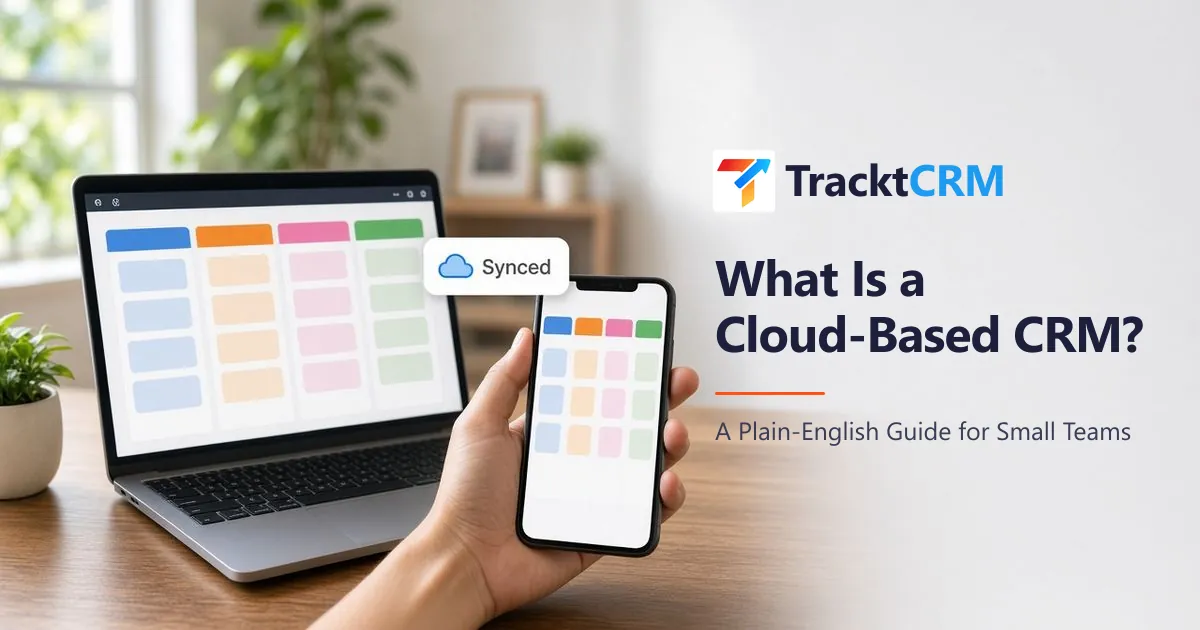
A cloud-based CRM opens in any browser, on a laptop or phone, so your field team updates leads on site. Our guide to the cloud-based CRM explains the trade-offs.
What Are the Types of CRM?
CRM software is usually described in three types. You will see these terms in buying guides.
| Type | What it does | Best for | Example task |
|---|---|---|---|
| Operational CRM | Automates and manages day-to-day sales, marketing and service work | Most small and growing businesses | Assign a new lead and set a follow-up |
| Analytical CRM | Turns customer data into reports and insights | Owners and managers who want to improve results | See which lead source brings buyers |
| Collaborative CRM | Shares customer information across teams and channels | Businesses where sales, support and operations all talk to the customer | Support sees the quote that sales promised |
A small business does not need to pick one. Modern small business CRMs combine all three in a simple form: a pipeline and reminders (operational), reports (analytical) and a shared record per customer (collaborative).
What Is CRM in Sales, Marketing and Customer Service?
Different teams use the same CRM for different jobs.
- Sales: track leads and deals, schedule follow-ups, send quotes and see who is closing.
- Marketing: record where each lead came from, so you can see which ads, forms or portals bring buyers and not just enquiries.
- Customer service: keep the history of every request, so a returning customer does not need to explain things again.
In a small business, one person often does all three. A single CRM keeps those jobs connected.
CRM Examples: How Different Businesses Use One
The best way to understand what a CRM does is to see it in use. Here are five common cases. Our article on CRM software examples covers 15 in detail.
| Business | What the CRM tracks | The problem it solves |
|---|---|---|
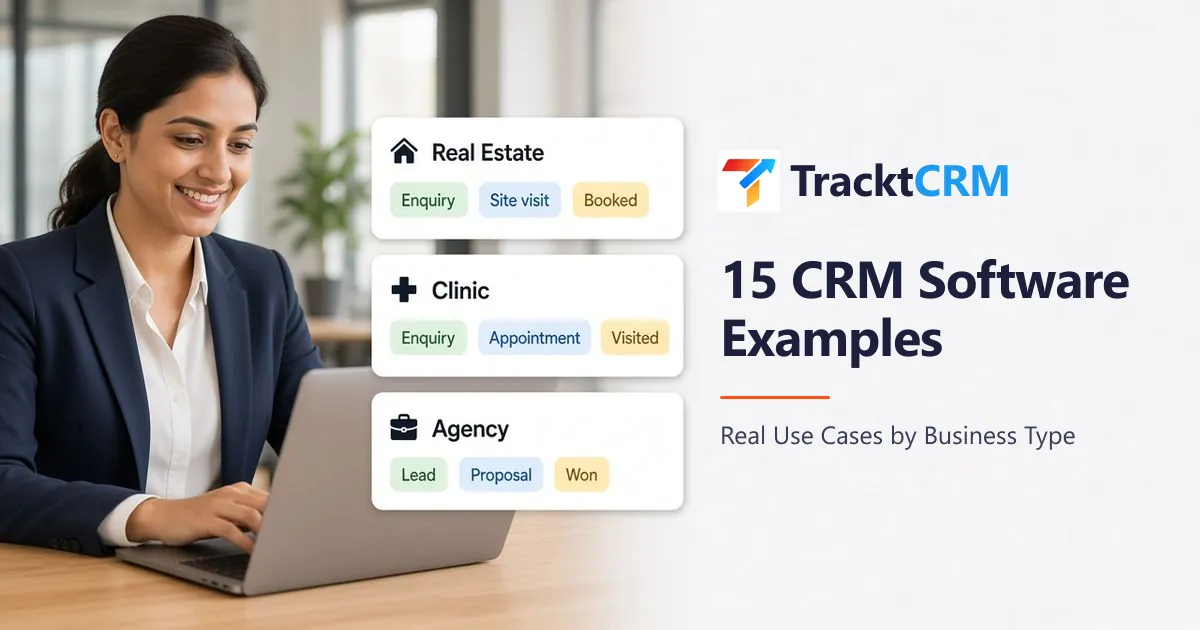
| Real estate agency | Portal enquiries, site visits, negotiation, booking | Portal leads going cold before the first call |
| Education institute | Enquiries, counselling calls, campus visits, admissions | Counsellors forgetting to call back parents |
| Marketing agency | Pitches, proposals, retainers, renewals | Proposals that nobody follows up |
| Clinic or hospital | Patient enquiries, appointments, review visits | Missed calls and no-shows |
| Travel agency | Trip enquiries, itinerary sent, booking | Slow replies in peak season |
What Is in a CRM System? Key Terms Explained
When you open a CRM for the first time, you will see the same handful of terms. Here is what each one means.
| Term | Meaning |
|---|---|
| Lead | A person or company that has shown interest but has not bought yet |
| Contact | A person you deal with, with phone, email and chat history |
| Deal | A possible sale, with a value, a stage and an owner |
| Pipeline | The set of stages a deal moves through, from enquiry to won or lost |
| Stage | One step in the pipeline, such as "quote sent" |
| Activity | A call, chat, email or meeting saved on a lead or deal |
| Task | A to-do with a due date, such as "call back on Friday" |
| Lead source | Where the lead came from, such as a portal, ad or website form |
| Conversion rate | The share of leads or deals that move to the next stage or become customers |
| Lost reason | Why a deal was lost, chosen from a fixed list |
Understanding these terms is most of what you need to know about how a CRM stores data. Everything else, such as reports and automation, is built on top of leads, deals, activities and tasks.
Benefits and Drawbacks of Using a CRM
Benefits
- Fewer lost leads, because every enquiry has an owner and a next step.
- Faster replies, because leads arrive in one place and can alert the owner.
- Better follow-up, because reminders replace memory.
- Clear numbers, because reports come from live data instead of a manual sheet.
- Smoother hand-overs, because history stays with the customer, not with one person.
Drawbacks to plan for
- It only works if the team uses it. If reps keep notes elsewhere, the CRM becomes another empty tool. Make it the one place where follow-ups live.
- Setup takes some thought. You need to decide your pipeline stages and lead sources. Keep it simple at the start.
- Costs can grow with team size, because most CRMs charge per user. Check what happens to the price when you add people.
- Bad data gives bad reports. Agree on a few required fields, such as source, stage and lost reason.
What Is CRM Integration, and Why Does It Matter?
CRM integration means connecting the CRM to the places where leads and conversations already happen, such as lead portals, ad forms, your website, WhatsApp, calls, email and calendar. Without integrations, your team types leads into the CRM by hand, and that is the first thing people stop doing.
When you compare tools, ask three questions:
- Which lead sources connect directly, and how fast do new leads arrive?
- Do chats, calls and emails save on the lead automatically? Email sync and tracking is one example.
- Which integrations are on which plan? Some tools put the useful ones on higher plans.
Do You Need a CRM? 7 Signs It Is Time
You probably need a CRM if three or more of these are true:
- Leads come from more than one source, such as ads, a website, portals and WhatsApp.
- More than one person follows up with leads.
- You sometimes find out about an enquiry days late.
- Follow-up dates are in your head or on sticky notes.
- Customer chats and call notes sit on personal phones.
- You cannot say how many leads you got last month, or which source was best.
- You spend time every week building a sales report by hand.
If only one or two apply and you work alone, a spreadsheet can be enough for now. Our CRM vs Excel comparison shows where a spreadsheet stops working.
How to Choose a CRM: A 10-Point Checklist
When you compare tools, check these points against your own business and not just the feature list.
- Price per user, and what happens when your team grows.
- A free plan or trial you can test with real leads.
- Lead sources you use, such as IndiaMART, Justdial, property portals, ad forms and your website.
- WhatsApp support. Check whether it uses the official WhatsApp Business API, and whether message charges apply.
- Customisable pipeline, so stages match how you sell.
- Follow-up reminders and simple automation.
- Reports by source, stage, person and period.
- Mobile access for field staff.
- Time to set up. Can your team be live in a day?
- Support and data export, so you can leave if you need to.
For tool-by-tool comparisons, see the best CRM software in India and the best free CRM for small business.
How to Get Started With a CRM in 5 Steps
- List your lead sources and the people who follow up. This takes ten minutes and sets up everything else.
- Write five to seven pipeline stages. Use the steps real buyers go through, such as enquiry, contacted, meeting, quote and won.
- Import your existing leads from your spreadsheet.
- Connect your lead sources, so new enquiries arrive on their own.
- Set one rule: no lead without a next follow-up date. Review the pipeline each morning and the reports every week.
Start with a free plan and a few real leads for two weeks. If your team uses it daily, upgrade. If not, find out why before you pay.
How TracktCRM Works as a CRM
TracktCRM is a cloud CRM for small and growing sales teams in India. It covers the core CRM features in one place.
- Lead capture from your sources. Connect IndiaMART, Justdial, 99acres, MagicBricks, Housing.com, OLX, Google Ads lead forms, website forms and Google Sheets, with the source saved on each lead.
- Pipelines and stages you define, with the deal count and value for every stage and alerts for idle deals.
- Follow-up reminders and tasks, so every lead has a next step.
- WhatsApp, calls and email on the lead. The Free plan supports simple QR-based WhatsApp chat. The official WhatsApp Business API, with templates and automations, is available on Pro and above. Calling works with TeleCMI, Exotel, FreJun and Twilio, and email with Gmail and Outlook.
- Reports by pipeline, stage, owner and period, with won, lost and open deals.
- AI replies on the Premium and All-in-One plans.
The Free plan is for 1 user, free forever, with no credit card needed. Paid plans are priced per user. See pricing for what each plan includes.
Common CRM Mistakes to Avoid
- Buying before you know your process. Map your stages first, then choose the tool.
- Too many fields and stages. Keep only what your team will fill in.
- No owner for the CRM. Pick one person responsible for data quality and training.
- Letting chats stay on personal phones. Move customer chats to a shared number or a CRM so history is kept.
- Not reviewing the numbers. A weekly ten-minute review is what turns data into better sales.
Frequently Asked Questions
What is CRM in simple words?
CRM stands for customer relationship management. In simple words, it is a system that keeps every lead and customer in one place, along with every call, message, quote and follow-up, so your team always knows who to contact next and what was said last time.
What is the full form of CRM?
The full form of CRM is customer relationship management. It can mean the strategy of managing relationships with customers, or the software that supports that strategy. In day-to-day use, most people say CRM when they mean the software.
What is CRM software used for?
CRM software is used to capture leads, track deals through a sales pipeline, schedule follow-ups, store conversations, assign work to team members and report on sales results. It replaces spreadsheets, sticky notes and scattered WhatsApp chats.
What are the three types of CRM?
The three common types are operational CRM, which automates sales, marketing and service tasks, analytical CRM, which turns customer data into reports and insights, and collaborative CRM, which shares customer information across teams. Most small business CRMs combine all three in a simple form.
Does a small business need a CRM?
Usually yes, once leads come from more than one place or more than one person follows up. A CRM stops enquiries from being forgotten and shows you which leads need a call today. A solo business with a handful of customers can manage with a spreadsheet for a while.
What is the difference between CRM and ERP?
A CRM manages what happens before and around a sale: leads, deals, follow-ups and customer communication. An ERP manages internal operations such as accounting, inventory, purchasing and payroll. Many businesses use both, and some CRMs connect to ERP or accounting tools.
How much does CRM software cost?
Prices range from free plans to thousands of rupees per user per month. Many CRMs charge per user, so the cost grows with your team. TracktCRM has a Free plan for 1 user, and paid plans are priced per user. Check each vendor's pricing page, because plans change.
Can I use Excel instead of a CRM?
You can start with Excel when you have a few leads and one person doing the follow-ups. It gets difficult when several people update the sheet, when follow-up reminders matter, or when WhatsApp chats and calls need to sit with each lead.
Sources
Sources checked on . Plans and prices change, so confirm current details on these links before you buy.