Your best salesperson is at a site visit. A hot lead calls the office. The receptionist opens the Excel sheet on the office computer, but the latest notes are on the salesperson's phone, in a WhatsApp chat. Nobody knows who spoke to the customer last, or what price was quoted.
This is the exact problem a cloud-based CRM solves. In this guide you will learn what it is, how it works, where it beats installed software, where it does not, and how to choose one without regret.
What is a cloud-based CRM? (Quick answer)
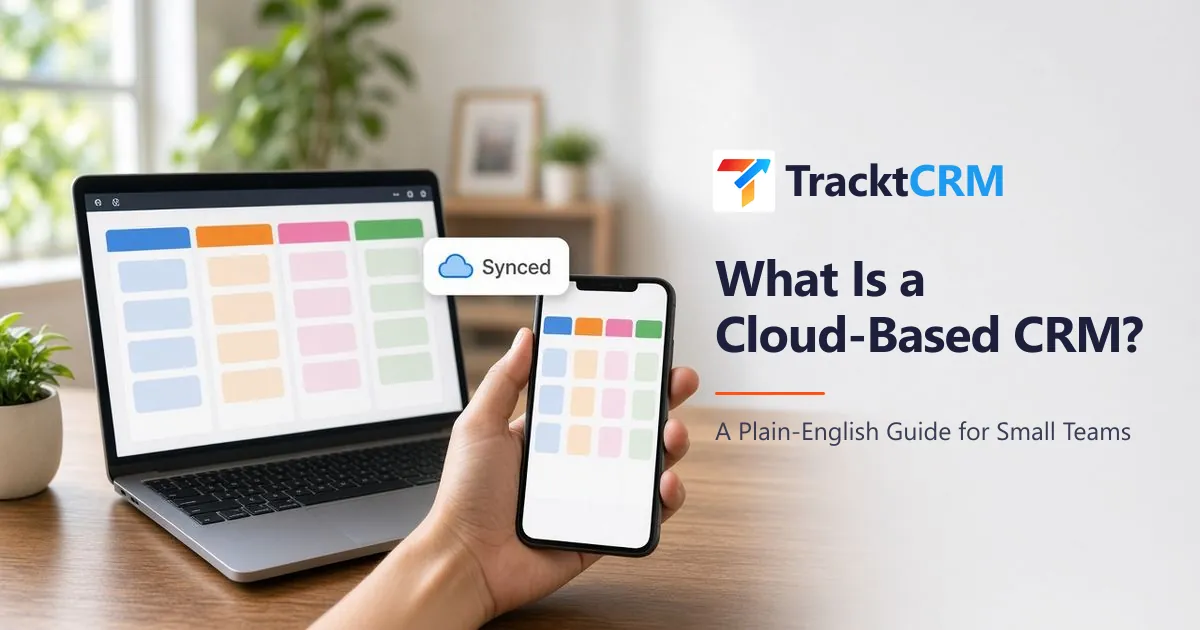
A cloud-based CRM is customer relationship management software that runs on the internet instead of on your own computer or server. You open it in a web browser or mobile app, log in, and see the same live list of leads, deals and follow-ups as everyone else on your team, from anywhere.
The software company hosts it, updates it and backs it up. You pay a monthly or yearly subscription, usually per user. You may also hear it called an online CRM, web-based CRM or SaaS CRM. They all mean the same thing.
How a cloud-based CRM works, step by step
- You sign up and log in. No installation, no server, no IT person. You open a web address or download the mobile app.
- Leads flow in automatically. Enquiries from your website forms, Facebook and Google lead ads, WhatsApp and lead portals are added to the CRM as they arrive.
- Everything is stored on secure servers. Your data lives in a professional data centre, not on a single office PC that can crash or get stolen.
- Your whole team sees the same data, live. When a rep updates a lead from their phone in the field, the manager sees it on the office laptop a second later.
- The provider handles the boring parts. Updates, security patches and backups happen in the background.
Cloud CRM vs on-premise (installed) CRM
On-premise CRM is installed on computers or a server inside your office. It was the norm 15 years ago. Here is how the two compare today.
| Factor | Cloud-based CRM | On-premise CRM |
|---|---|---|
| Setup time | Minutes to a few days | Weeks to months |
| Upfront cost | Low or zero; pay monthly | High: licences, server, installation |
| Who maintains it | The CRM provider | Your own IT team or vendor |
| Access from mobile and field | Yes, any browser or app | Usually only on office network, or needs VPN |
| Updates and new features | Automatic | Manual, often paid upgrades |
| Backups | Automatic, off-site | Your responsibility |
| Scaling up | Add a user in a click | Buy more licences and hardware |
| Works without internet | Limited | Yes, inside the office |
| Best for | Small and growing teams, field sales, remote teams | Large firms with strict in-house data rules and an IT team |
For most small businesses, the deciding factor is simple: your customers and your salespeople are not sitting in the office. Your CRM should not be either.
7 real benefits of a cloud-based CRM
- Your team works from anywhere. Real estate agents at site visits, dealership staff on the showroom floor and admission counsellors at different branches all update the same pipeline from their phones.
- No lead waits for someone to get back to the office. New enquiries reach the right person instantly, wherever they are. Speed matters because the first business to reply often wins the customer.
- One source of truth. No more
final_leads_v3_updated.xlsxemailed around. Every call, note, WhatsApp chat and follow-up sits on the lead's record. - Low upfront cost. You skip servers and installation fees. Many cloud CRMs, including TracktCRM, have a free plan so you can start with zero spend.
- Your data survives a broken laptop. Data is stored and backed up off-site. If a laptop is lost or a rep leaves, the customer history stays with the business.
- It grows with you. Hire three new reps? Add three users. No new hardware, no reinstall.
- Managers see the truth in real time. A live sales dashboard shows leads by stage, overdue follow-ups and which source brings the most enquiries, without anyone building a report on Monday morning.
Drawbacks to know before you switch (and how to handle them)
A good guide is honest. A cloud-based CRM has three trade-offs.
- It needs internet. If your connection drops, you cannot update the CRM on a laptop. Fix: a mobile app on 4G or 5G works as a backup, so field staff are rarely stuck.
- Subscription cost adds up over the years. You pay every month instead of once. Fix: compare total cost over three years, including servers, IT support and upgrades you would pay for on-premise. For a small team, cloud is almost always cheaper.
- Your data sits with a provider. Fix: choose a provider that lets you export all your data anytime, and read its privacy policy before you sign up.
Is a cloud-based CRM safe?
For a small business, a well-run cloud CRM is usually safer than an Excel file on a shared office computer. Check these five things:
- HTTPS everywhere: the padlock in the browser on every page, including login.
- Separate logins for every team member, so you know who changed what, and you can remove access when someone leaves.
- Role-based permissions: reps see their own leads, managers see everything.
- Regular backups handled by the provider.
- Data export: you can download your data whenever you want.
Who needs a cloud CRM the most?
Any business where sales happen outside the office, or across more than one person, gets the biggest benefit:
- Real estate brokers and builders juggling portal leads, WhatsApp enquiries and site visits. See real estate CRM.
- Car and two-wheeler dealerships with showroom and field staff. See automotive CRM.
- Coaching institutes and colleges with counsellors across branches. See education CRM.
- Insurance agents and POSPs who need renewal reminders on their phone. See insurance CRM.
- Clinics and diagnostic centres whose front desk answers patient enquiries from many sources. See healthcare CRM.
- Agencies and remote teams working from different cities. See CRM for agencies.
How to choose a cloud-based CRM: a 10-question checklist
Ask every CRM vendor these questions before you commit.
- Can I start free, without a credit card, and keep my data if I upgrade?
- Does it capture leads automatically from the sources I already use (website, Facebook and Google ads, WhatsApp, lead portals)?
- Does it work properly on a mobile phone, not just a shrunken desktop screen?
- Can I set up my own pipeline stages in a few minutes?
- Does it remind reps about follow-ups automatically?
- Can leads be assigned to the right person automatically?
- Is WhatsApp built in, or is it an expensive add-on?
- Is pricing per user, and is the price for my team size clearly shown on the website?
- Can I export all my data anytime?
- Is there real support in my time zone and language when I get stuck?
If a CRM fails three or more of these, keep looking.
How much does a cloud-based CRM cost?
Most cloud CRMs charge per user, per month, with cheaper rates if you pay yearly. Prices range from free plans for one user to premium plans for large teams that need advanced automation. Watch for hidden costs: paid add-ons for WhatsApp, extra charges for integrations, minimum user counts and setup fees.
TracktCRM keeps it simple: a Free plan that is free forever for one user, then Pro, Premium and All-in-One plans priced per user. See current prices on the pricing page.
Moving from Excel to a cloud CRM in 5 steps
- Clean your sheet. One row per lead, with name, phone, source, stage and next follow-up date.
- Create your pipeline stages to match how you actually sell, for example New, Contacted, Site Visit or Demo, Negotiation, Won, Lost.
- Import the sheet into the CRM.
- Connect your lead sources so new enquiries stop landing in inboxes and chats.
- Run both for one week, then stop updating Excel. One week is enough for a team to trust the new system.
Still unsure if you need to switch? Read our comparison of CRM vs Excel.
How TracktCRM works as a cloud-based CRM
TracktCRM is a cloud-based CRM built for small businesses and growing sales teams. It runs in any browser on laptop and mobile, so your whole team works from one live pipeline.
- Leads captured automatically from website forms, Facebook and Google lead ads, WhatsApp and portals such as 99acres, MagicBricks, Housing.com, IndiaMART and Justdial.
- Visual sales pipeline with your own stages.
- Automatic lead assignment and follow-up reminders.
- WhatsApp chat history saved on every lead. Official WhatsApp Business API and templates are available on Pro and above. See the WhatsApp CRM page.
- Live sales dashboard with rep activity and lead-source reports.
- AI auto-replies and reply suggestions on Premium and All-in-One plans.
Frequently Asked Questions
What is the difference between cloud CRM and CRM?
CRM is the type of software. Cloud describes where it runs. A cloud CRM is a CRM hosted online that you access through a browser or app, instead of installing it on your own computers.
Is a cloud-based CRM good for a small business?
Yes. It needs no server or IT staff, has a low starting cost, and lets a small team work from anywhere. That is why most new CRM buyers today choose cloud.
Can I use a cloud CRM on my mobile?
Yes. Good cloud CRMs work in a mobile browser and many also have apps, so field staff can update leads and get reminders on the go.
What happens to my data if I stop using a cloud CRM?
With a reputable provider you can export your data before you leave. Always check that data export is available before you sign up.
Is there a free cloud-based CRM?
Yes. TracktCRM has a Free plan that is free forever for one user, with no credit card needed.
Does a cloud CRM work without internet?
Not fully. You need an internet connection to sync. A mobile app on mobile data usually keeps your team working even when the office connection is down.